How to Post a Propdate
Overview
Section titled “Overview”In addition to creating milestone-based escrow proposals and requesting the release of milestones, users and DAO members can now post updates, so‑called Propdates, directly within the proposal feed. These updates use the Ethereum Attestation Service (EAS) to record comments and updates on-chain in a secure and verifiable way. A brief demo of the functionality can be found here.
Users can access Propdates by opening the DAO’s Proposals tab, selecting a proposal and scrolling to its Propdates feed. Here, feed means the stream of updates attached to the proposal; it is not the name of the DAO’s proposal tab.
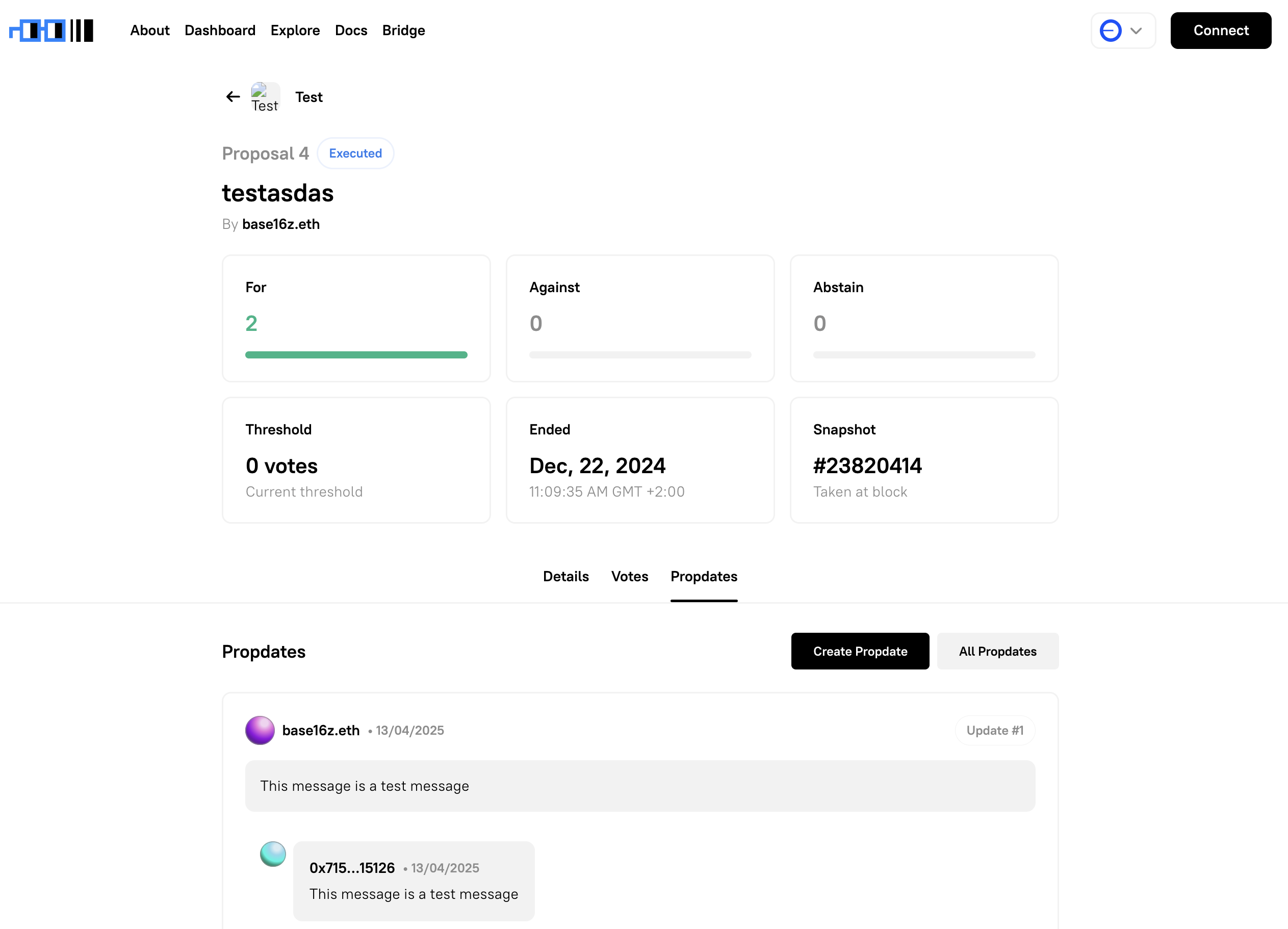
Viewing Propdate
Section titled “Viewing Propdate”Propdates and comments are shown by default. Select Show Only DAO Members to filter the feed to updates from DAO members.
Long Propdates are collapsed to keep the feed easy to scan. Select Read full update → to expand one in place, then Show less to collapse it again. Short updates are shown in full.
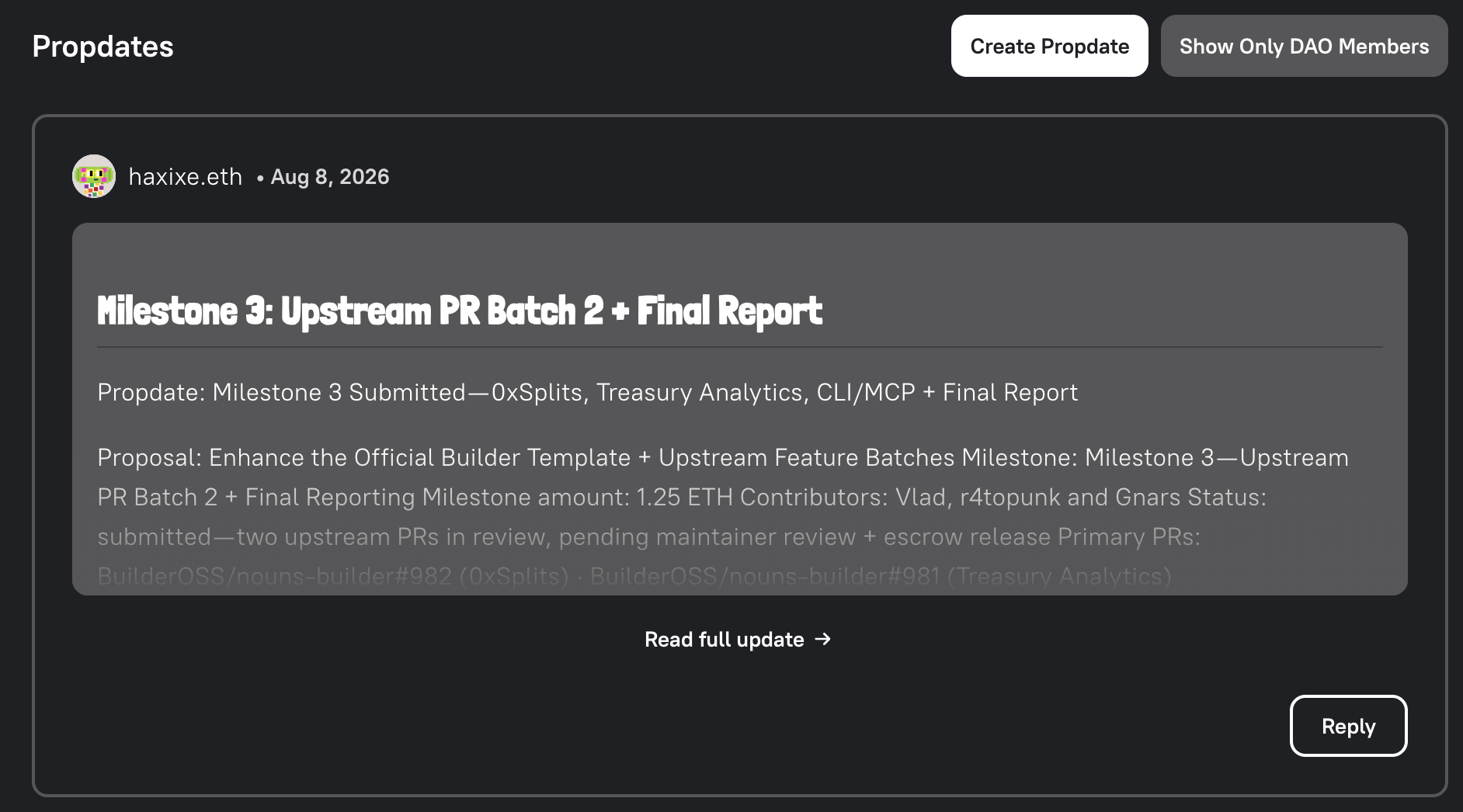
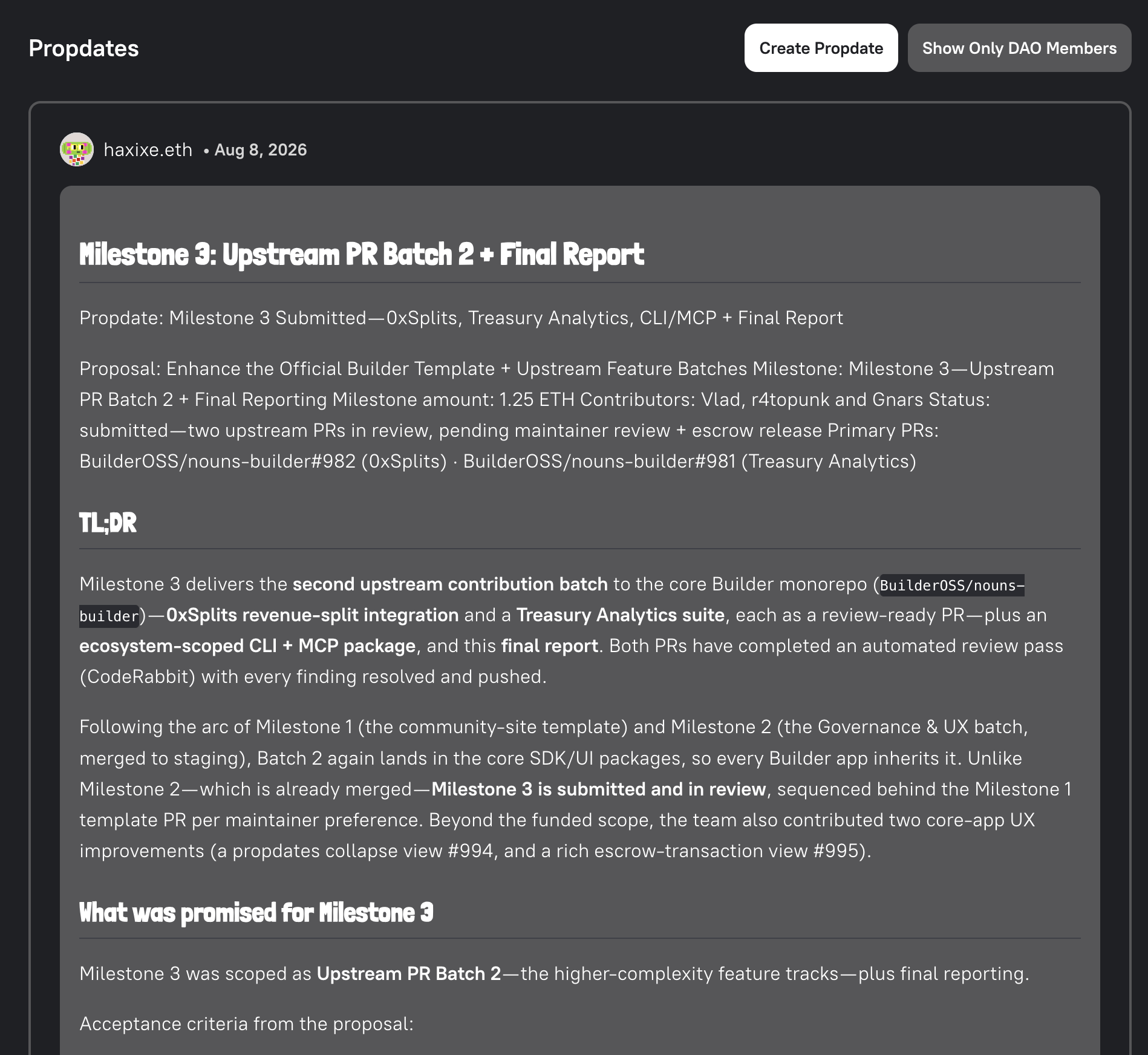
How It Works
Section titled “How It Works”Each update or release request is stored as an on-chain attestation using EAS, read more at the Attestations Reference. Propdates you post will appear in the “Propdates” feed under the proposal.
By selecting Post Propdate users and DAO members can comment on proposals before, during, and after voting ended to:
- Add public updates
- Track progress across milestones
- Reply to comments and updates
Submitting an Update
Section titled “Submitting an Update”- Open the Proposal Page.
- Click
Create Propdateunder the Propdates section. - Type your message.
- Click
Post Propdateand sign the transaction in your wallet. - Wait for the propdate to be posted on chain.
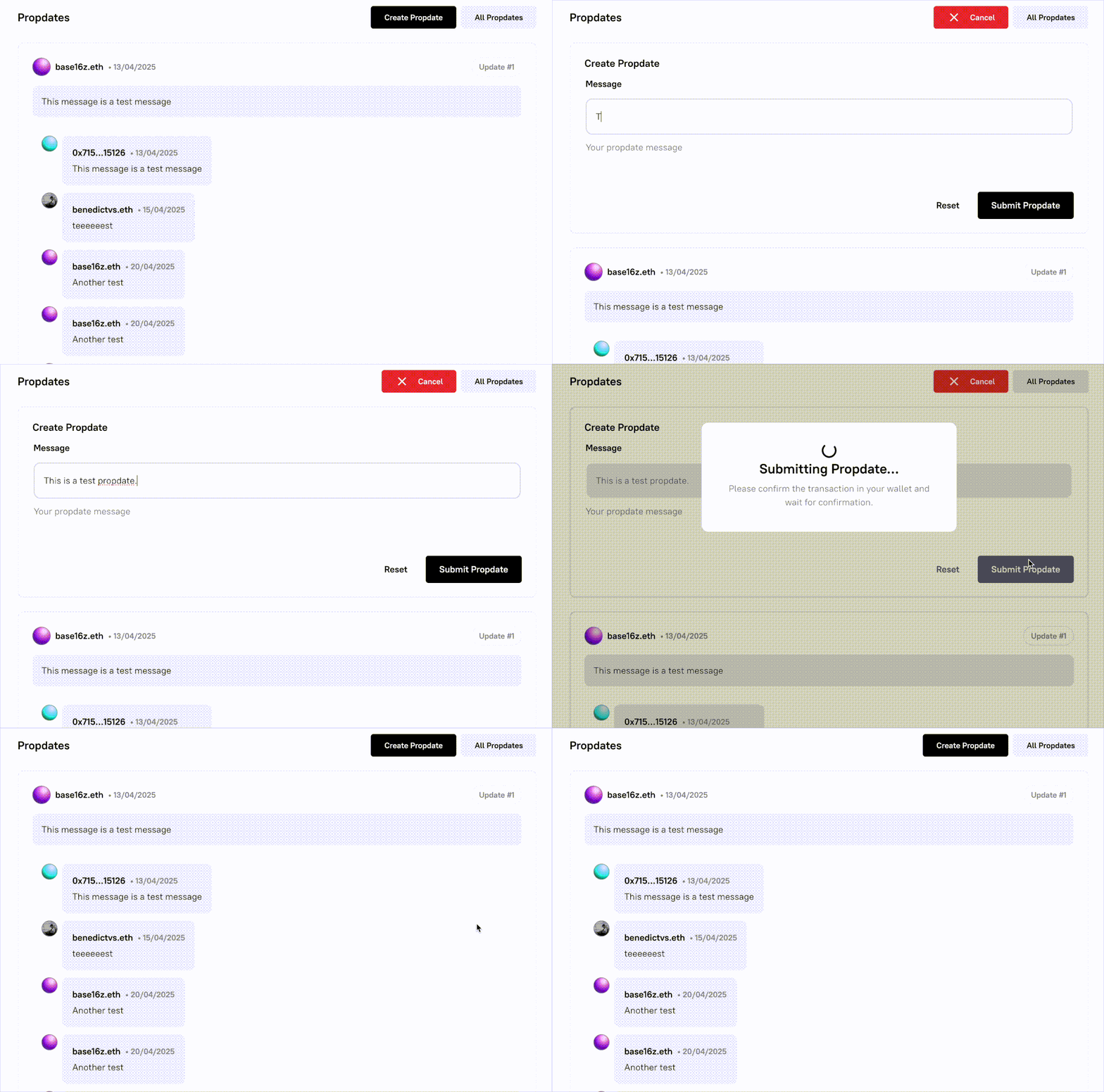
Alternatively, you can also respond to Propdates by using the Reply functionality.
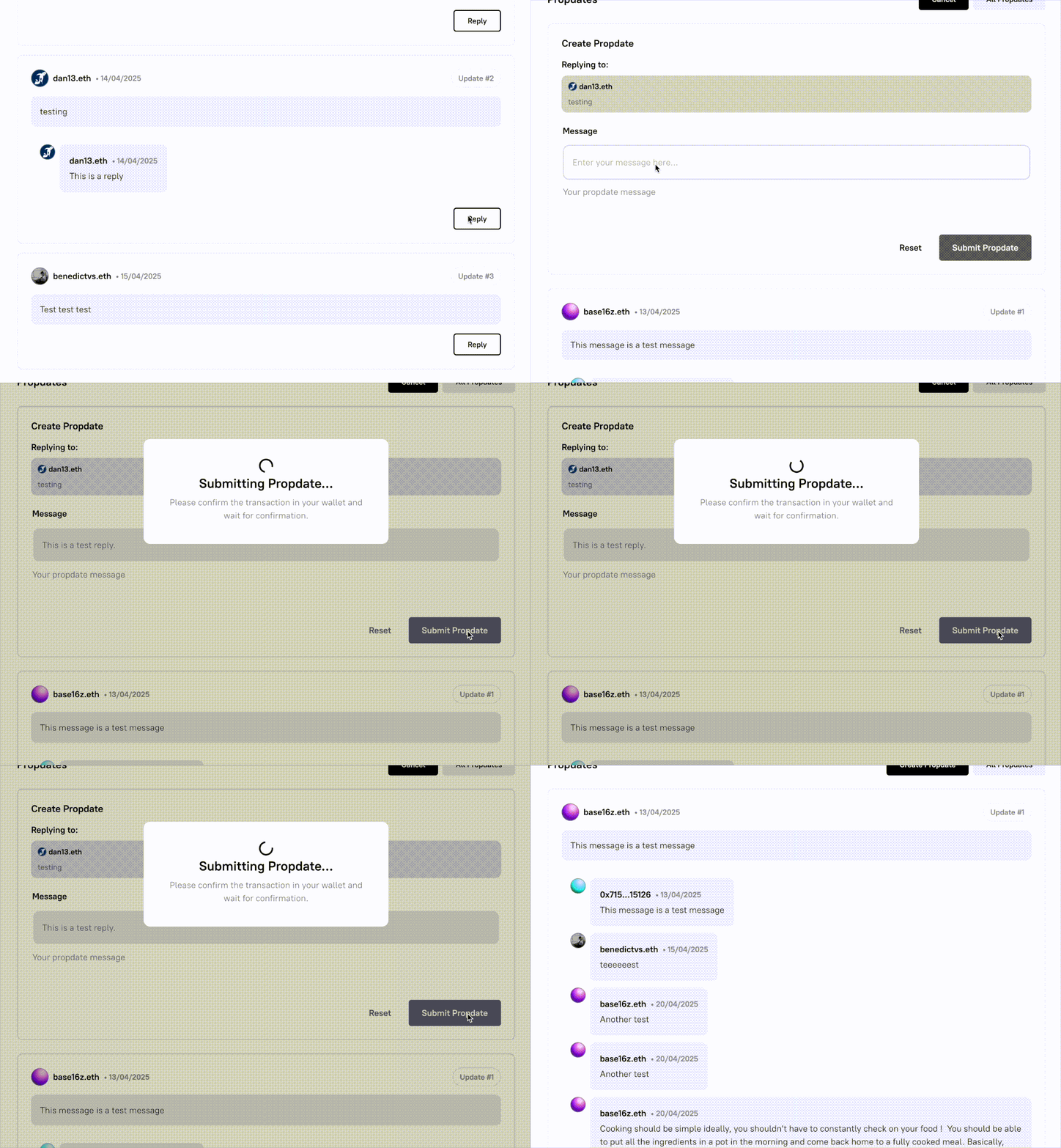
Using Propdates will create an EAS attestation on-chain that is tied to the selected proposal, and your wallet address or ENS will be associated with the content.
Recent Additions
Section titled “Recent Additions”- Long updates now collapse with a fade and can be expanded in place.
- The feed can be filtered to show only DAO-member updates.
- You can select a milestone for making a propdate on a specific milestone.
- Propdates support markdown.