Updating a Proposal
Revise an onchain proposal before voting begins
Section titled “Revise an onchain proposal before voting begins”Updateable proposals give the proposer a limited period to correct or improve a submitted proposal before it enters the usual Pending and Active stages. The update may change the proposal text, its transactions or both.
Only the proposer can update a proposal, and only while its status is Updatable. The feature must also be enabled in the DAO’s upgraded Governor contract.
Check the Update Period
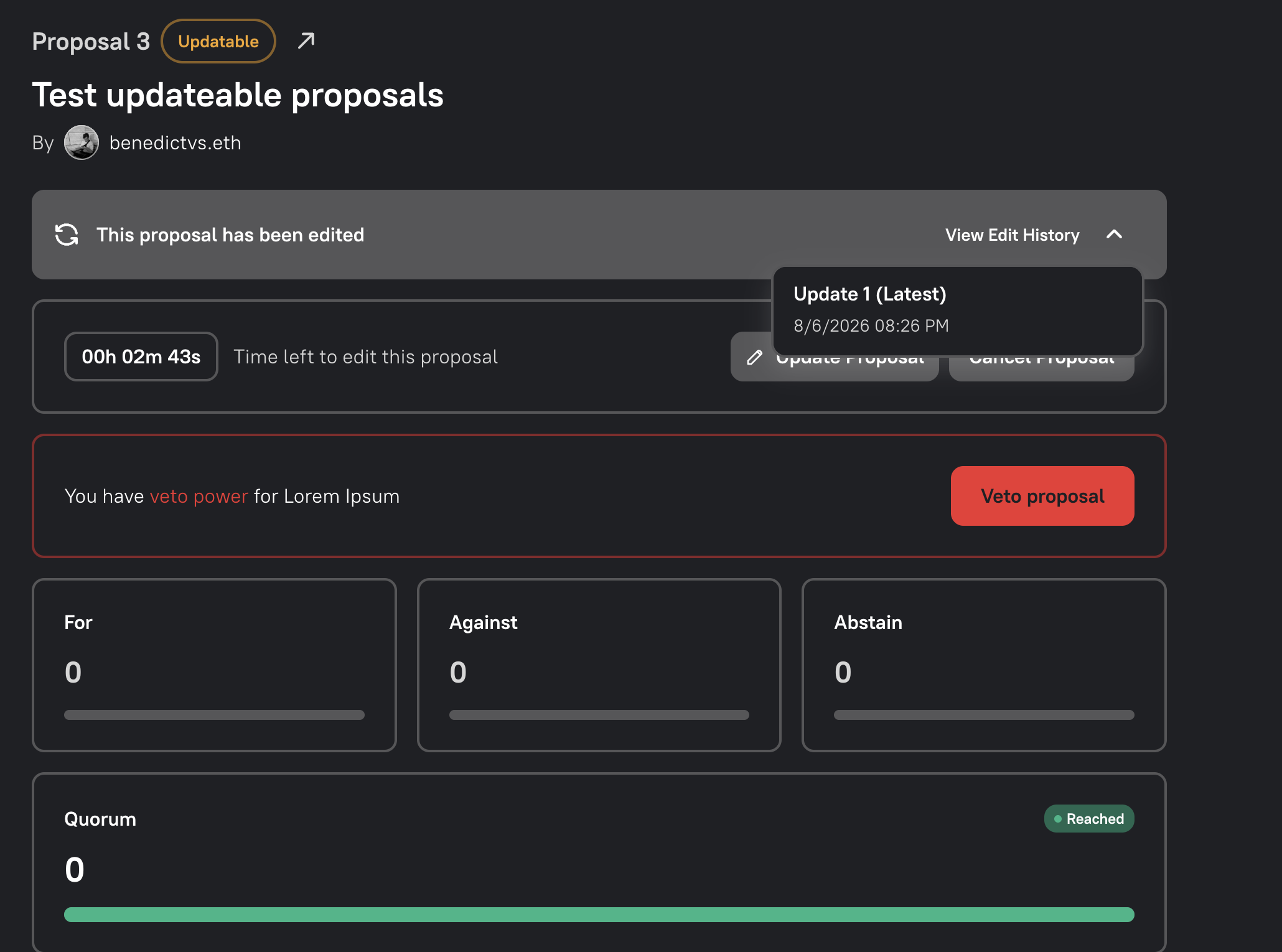
Section titled “Check the Update Period”Open the proposal from your DAO’s Proposals view. An eligible proposal displays an Updatable status, the time remaining to make changes and an Update Proposal button.
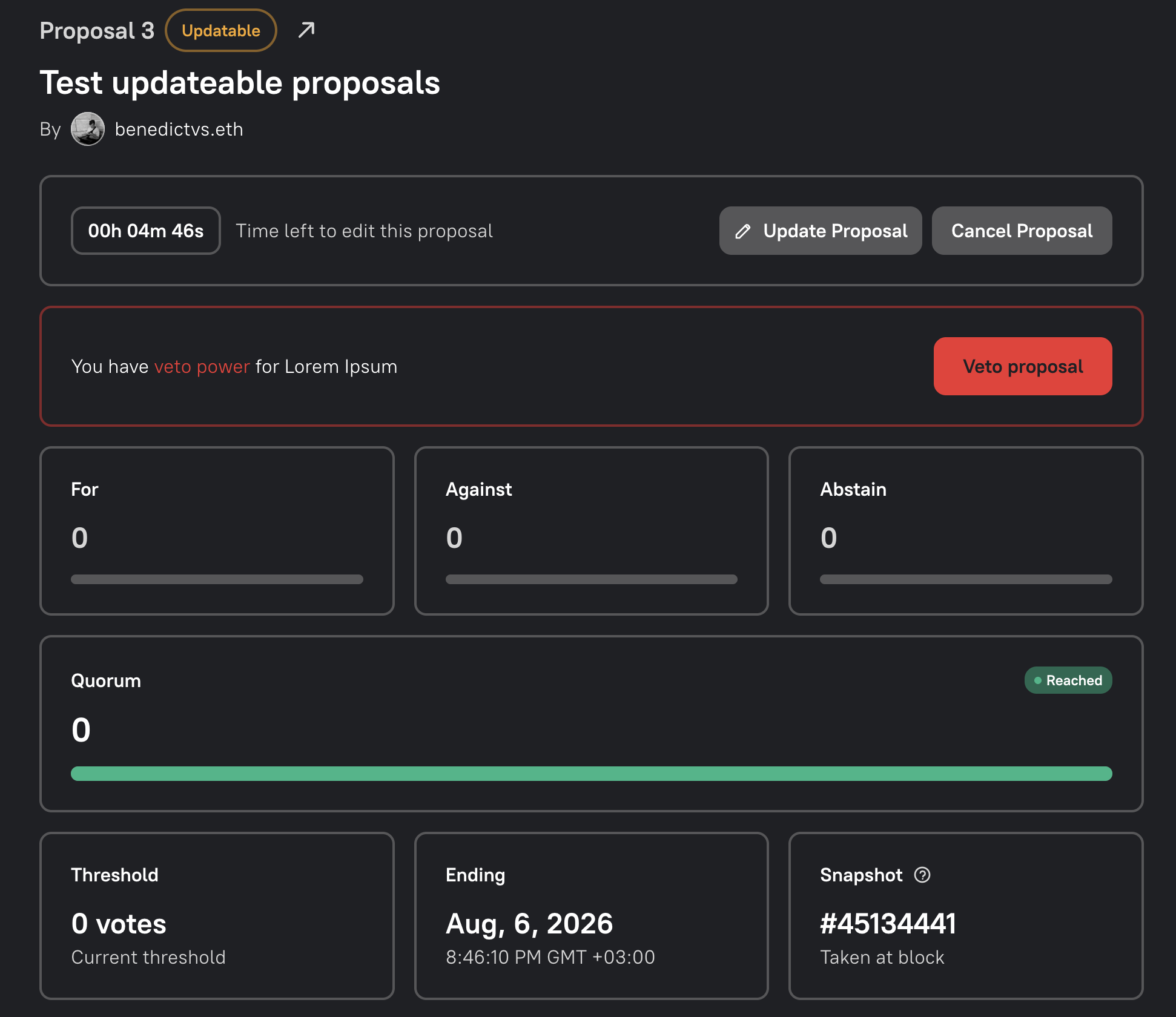
Select Update Proposal to begin. If the button is not available, check that you are connected with the proposer’s wallet and that the update period has not ended.
Revise the Proposal
Section titled “Revise the Proposal”The update flow uses the familiar three-step proposal builder:
- Write Proposal — revise the title, description or discussion link.
- Add Transactions — add, remove or change the proposed actions.
- Review & Submit — compare the final content and confirm the governance timeline.
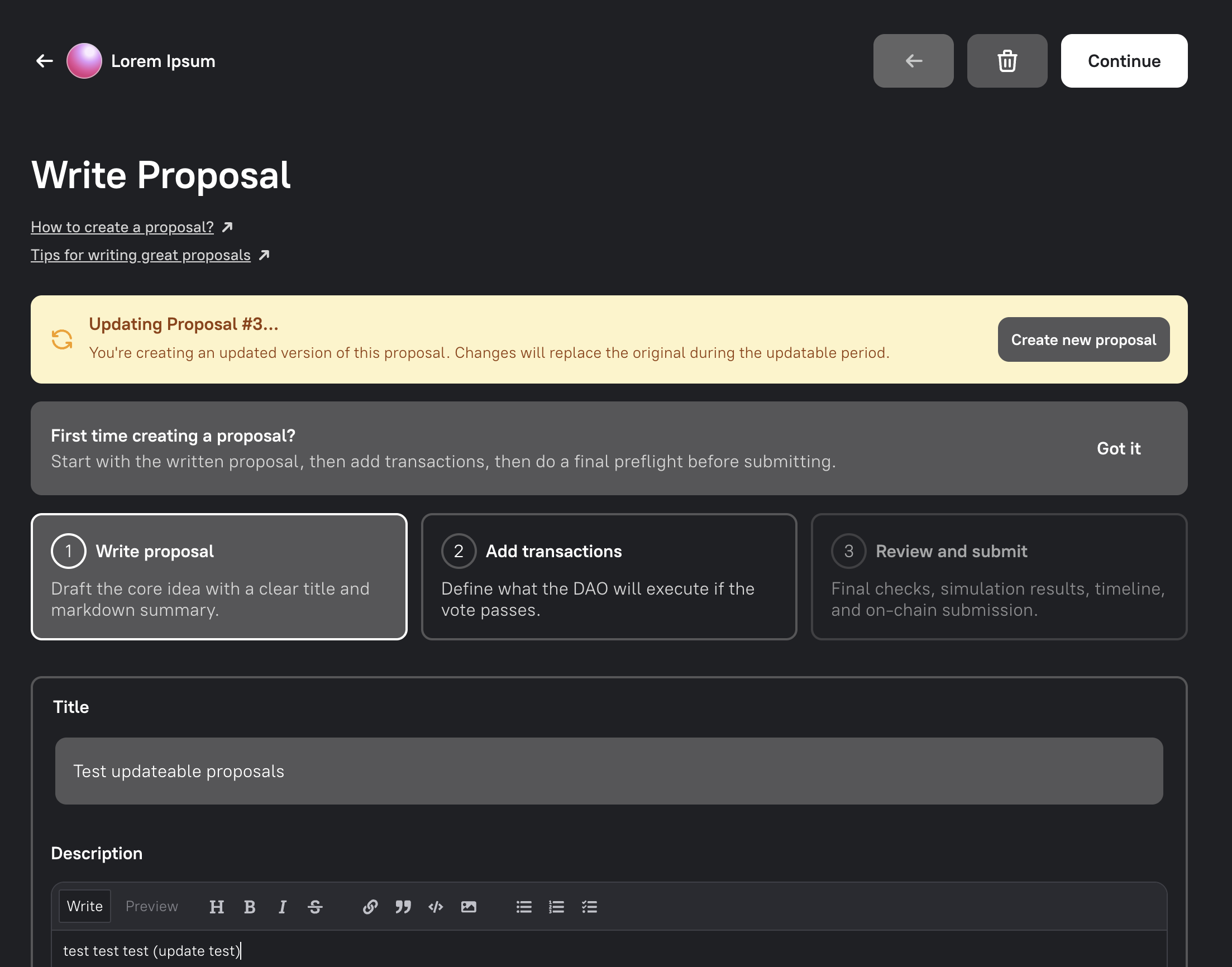
The warning at the top identifies the proposal being updated. Review every transaction as well as the written proposal: the new revision will replace the current one for the remainder of the governance process.
Review the Timeline and Explain the Update
Section titled “Review the Timeline and Explain the Update”The review step shows the proposal’s existing governance timeline. The Governor contract copies the original proposal’s update deadline, vote start and vote end to every replacement. Updating therefore does not postpone voting, restart the Voting Delay or extend the Voting Period.
For example, if a proposal has a 24-hour update period and is updated after 20 hours, the replacement remains updateable for the four hours left in the original window. The Voting Delay still begins at the original update deadline. All revisions also retain the original voting-power snapshot.
Add a concise Update Message explaining what changed and why. This message is required before you can submit the revision.
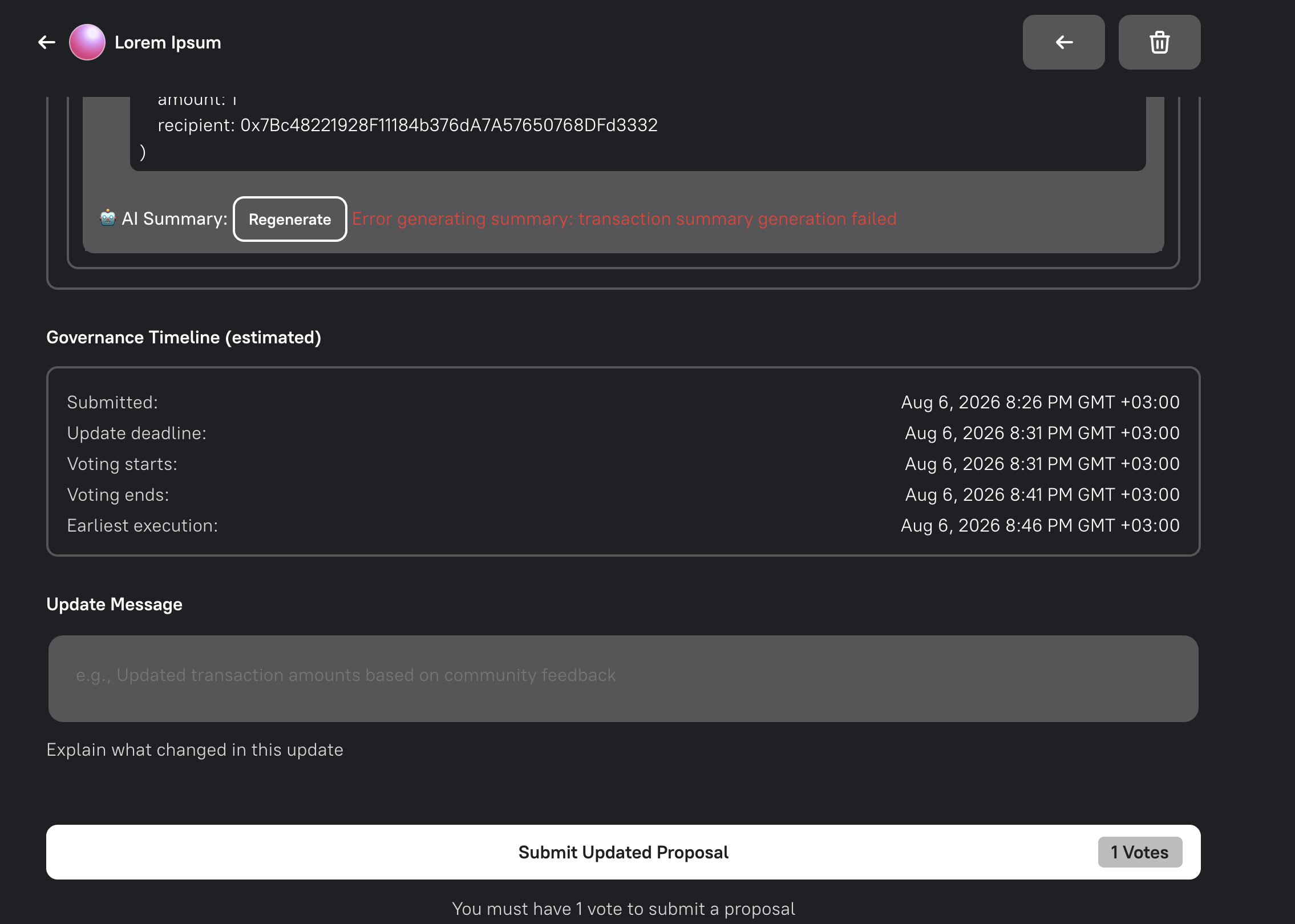
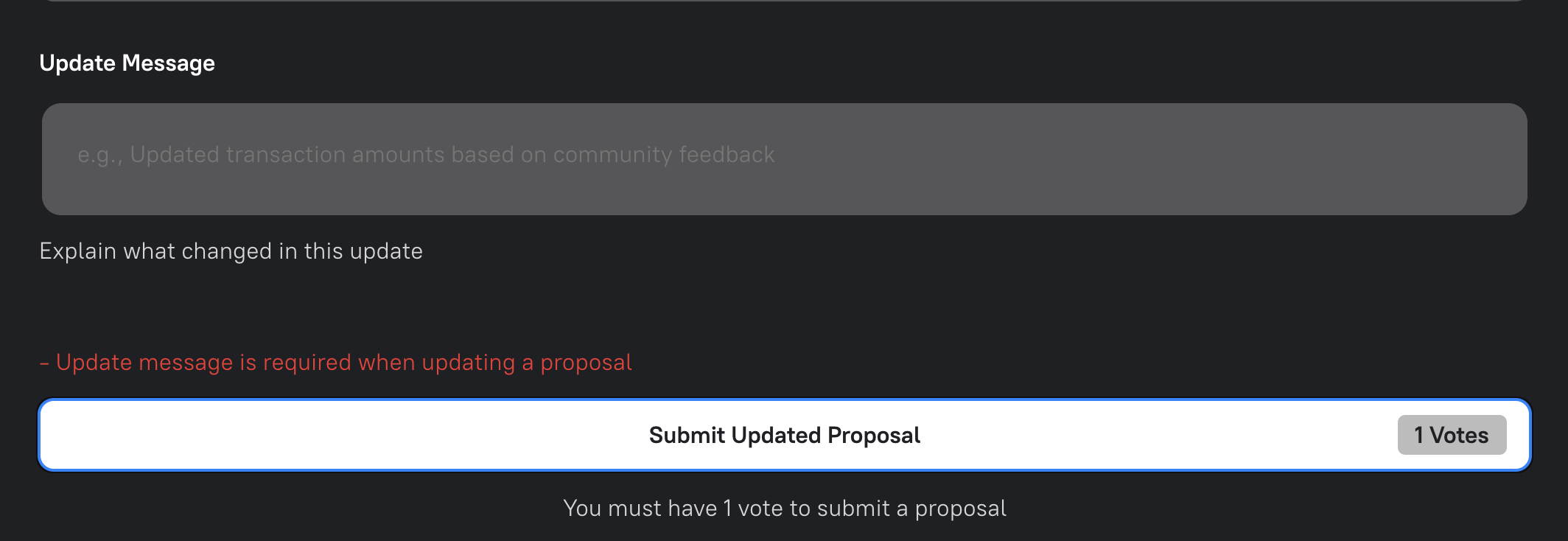
When everything is correct, select Submit Updated Proposal and confirm the transaction in your wallet.
Review the Replacement and Edit History
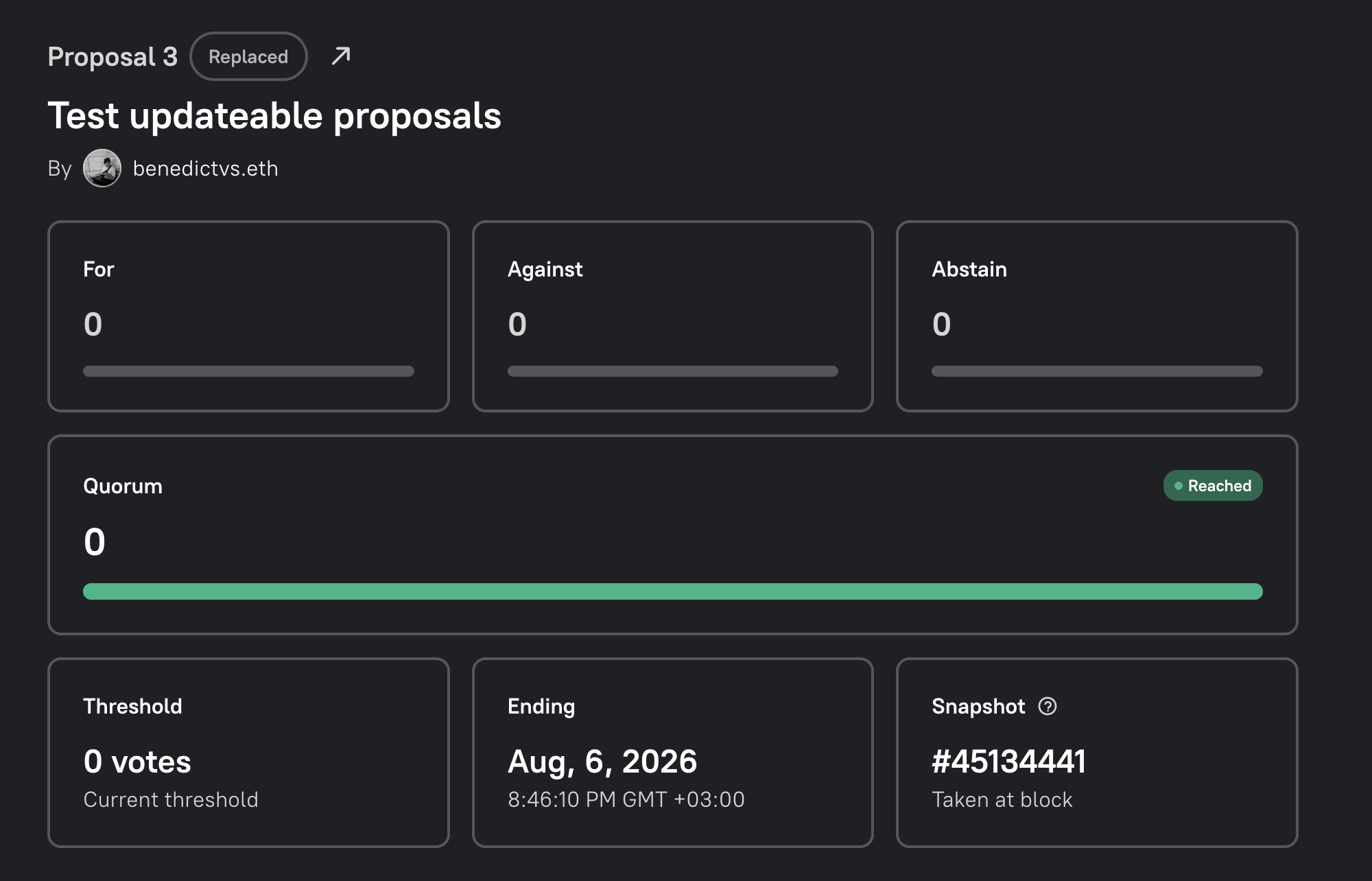
Section titled “Review the Replacement and Edit History”After the transaction confirms, the previous revision is marked Replaced and points to the new proposal. The replacement becomes the current revision without changing the original governance deadlines.
The current proposal displays an edited notice. Select View Edit History to open an earlier version.
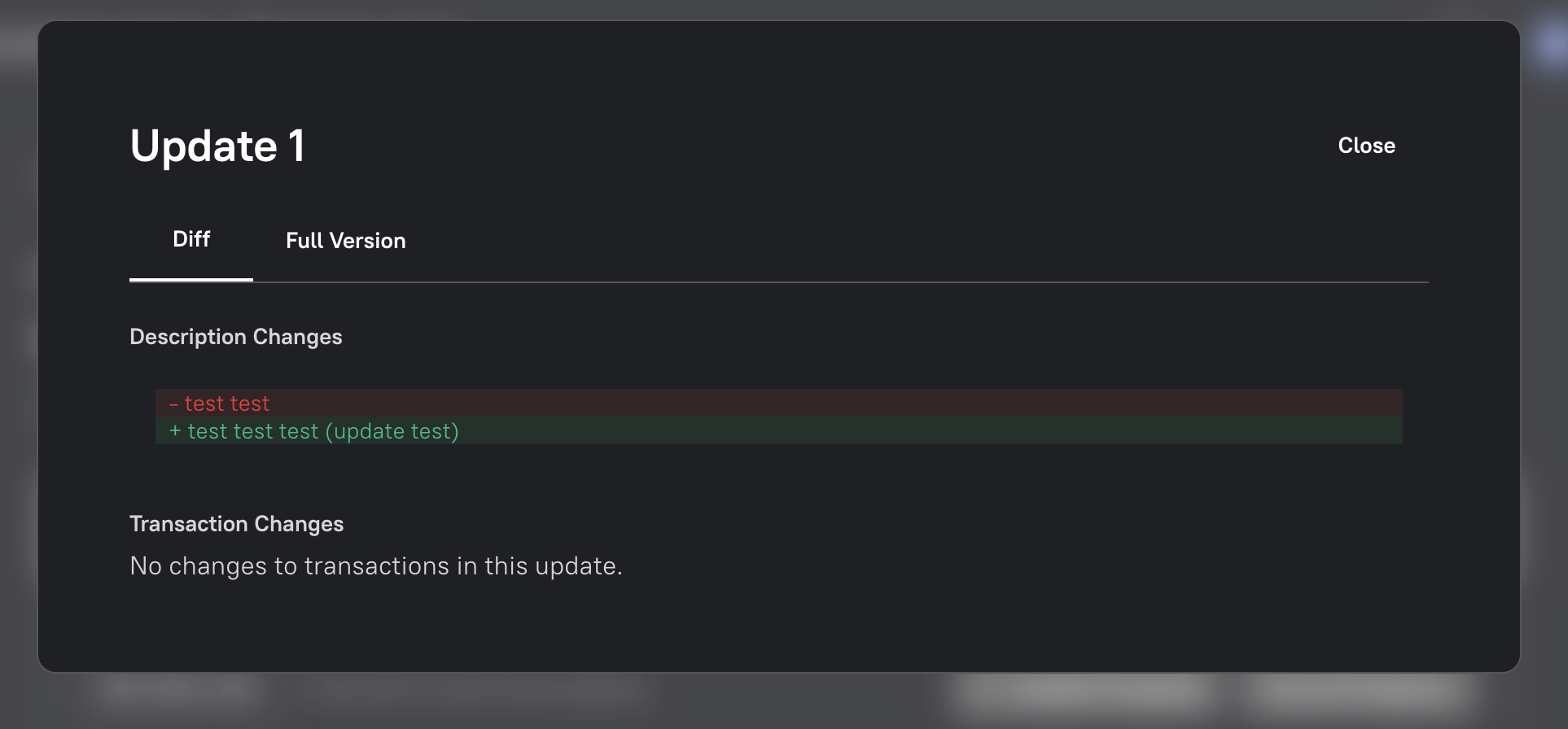
Use Changes to inspect the diff or Full Version to read that revision in full. Removed content appears in red and additions appear in green. Transaction changes are shown separately from description changes.
When the update period ends, the current revision moves to Pending and can no longer be changed. It then continues through the DAO’s standard voting and execution lifecycle.
For ideas that are not ready to enter formal governance, use a Proposal Candidate to collect feedback and sponsor signatures first.