Bridging on Nouns Builder
What is bridging?
Section titled “What is bridging?”A blockchain bridge is a tool that connects two separate blockchain networks to enable assets to be transferred between them. This includes bridges that connect Ethereum (“Layer 1” or “L1”) to Layer 2 (“L2”) networks such as OP Mainnet and Base, which sit on top of Ethereum to improve speed and reduce the cost of onchain transactions. Nouns Builder’s native bridge allows you to transfer ETH from Ethereum to supported L2 networks.
Why do I need to bridge my ETH?
Section titled “Why do I need to bridge my ETH?”You must bridge your ETH to an L2 in order to transact on the L2, for example, to bid on L2 auctions or vote on L2 proposals.
What happens to my ETH when I am bridging?
Section titled “What happens to my ETH when I am bridging?”By bridging your ETH, you make it available for use on the L2. When you bridge ETH to an L2 supported on Nouns Builder, such as OP Mainnet or Base, your ETH is locked on L1 in the canonical bridge contract and a corresponding representation is made available on the L2. You control both sides with your wallet keys; Nouns Builder does not take custody. Bridged ETH is not spendable on L1 until you withdraw it back through the bridge.
Bridging ETH to L2 networks on Nouns Builder
Section titled “Bridging ETH to L2 networks on Nouns Builder”While we recommend using a commercial third-party bridge to access your funds more quickly, Nouns Builder also provides access to native bridges that are more cost-effective. If you use the native bridges available at nouns.build/bridge, you will experience longer lock times before completion and cannot withdraw using the Builder UI.
For withdrawals and bridging from your L2 DAO treasury to Ethereum Mainnet or another L2, please use the WalletConnect Proposal Template to connect to a third-party bridge.
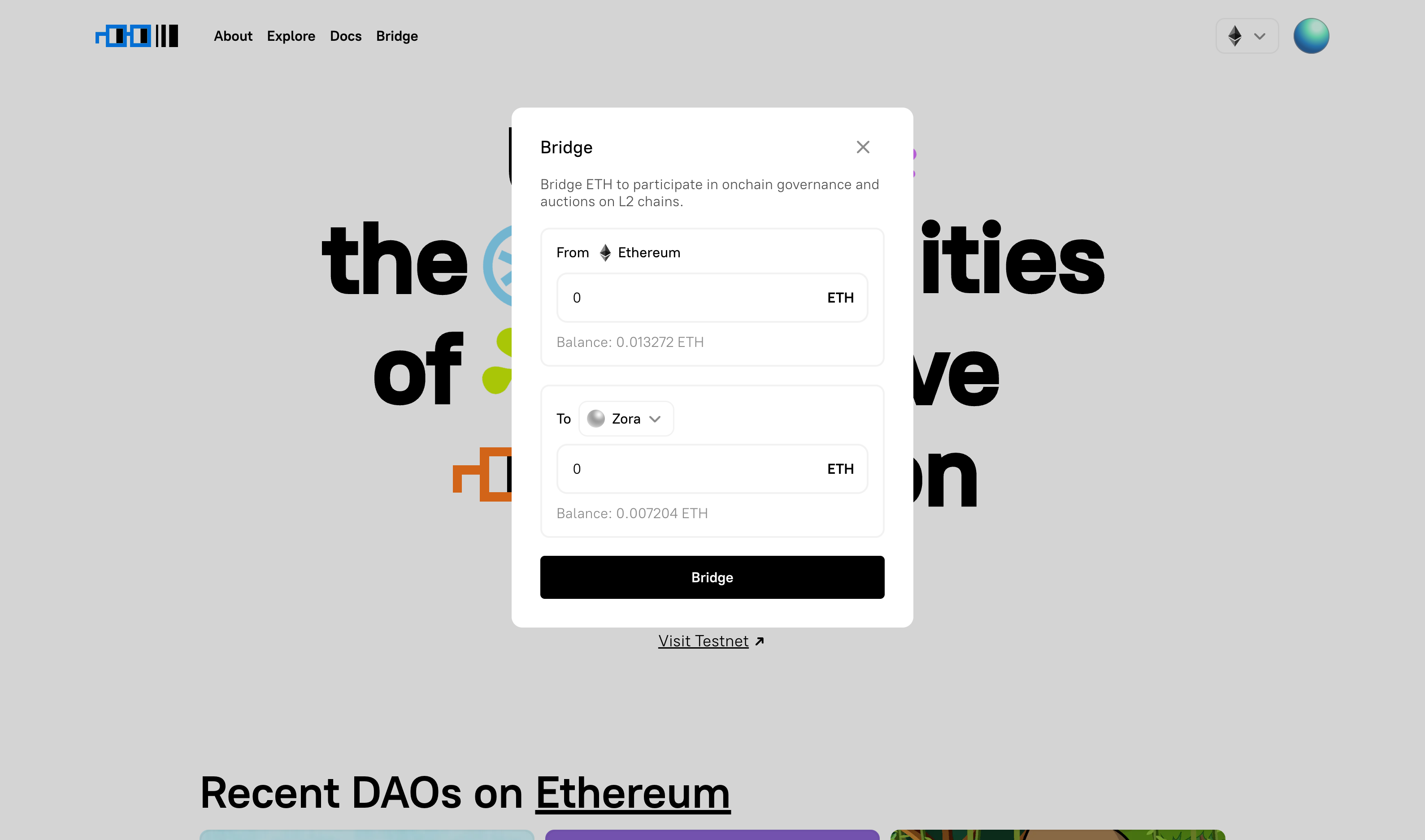
The Nouns Builder bridge currently supports deposit-only bridging to OP Mainnet and Base. We use the native bridge for each supported L2. The Nouns Builder bridge does not currently support withdrawals. Users need to use another bridge to withdraw—see below for details.
To bridge on Nouns Builder:
- Connect your wallet on nouns.build.
- Select “Bridge” in the navigation bar.
- Select the chain you would like to deposit ETH to.
- Enter the desired ETH amount.
- Click “Bridge” to begin bridging your ETH to the selected network. This will prompt a wallet transaction to accept a gas fee.
- Confirm the transaction in your wallet. This may take ~1-2 minutes, depending on how congested Ethereum mainnet is.
- Your ETH has been bridged.
- Enjoy Nouns Builder on L2!
Withdrawing ETH from L2 networks on Nouns Builder
Section titled “Withdrawing ETH from L2 networks on Nouns Builder”The Nouns Builder bridge does not currently support withdrawals.
To withdraw from OP Mainnet or Base to Ethereum Mainnet:
- Withdraw from OP Mainnet
- Withdraw from Base