ERC-721 Drop Proposal (Droposal)
Overview
Section titled “Overview”A droposal is an ERC-721 Drop Proposal — an on-chain DAO proposal that, if passed, deploys a new NFT collection contract and makes it available for public minting. The contract is based on Zora’s ERC721Drop standard.
Builder has reinstated legacy support for droposals alongside the launch of the coining feature. This means:
- Standalone mint pages are available for every droposal, allowing creators to share a direct minting link with their audience.
- Droposals appear in the DAO Gallery tab, tagged with a Drop badge, so they remain discoverable alongside other DAO content.
New droposals can still be created via the Droposal: Single Edition transaction type in the proposal builder.
Standalone Mint Page
Section titled “Standalone Mint Page”Every droposal has a dedicated public mint page at: nouns.build/drop/[chain]/[contractAddress]
This page shows the collection media, title, creator, price, and a Mint button. Share this URL directly with your audience — no DAO interface or governance knowledge is required to mint.
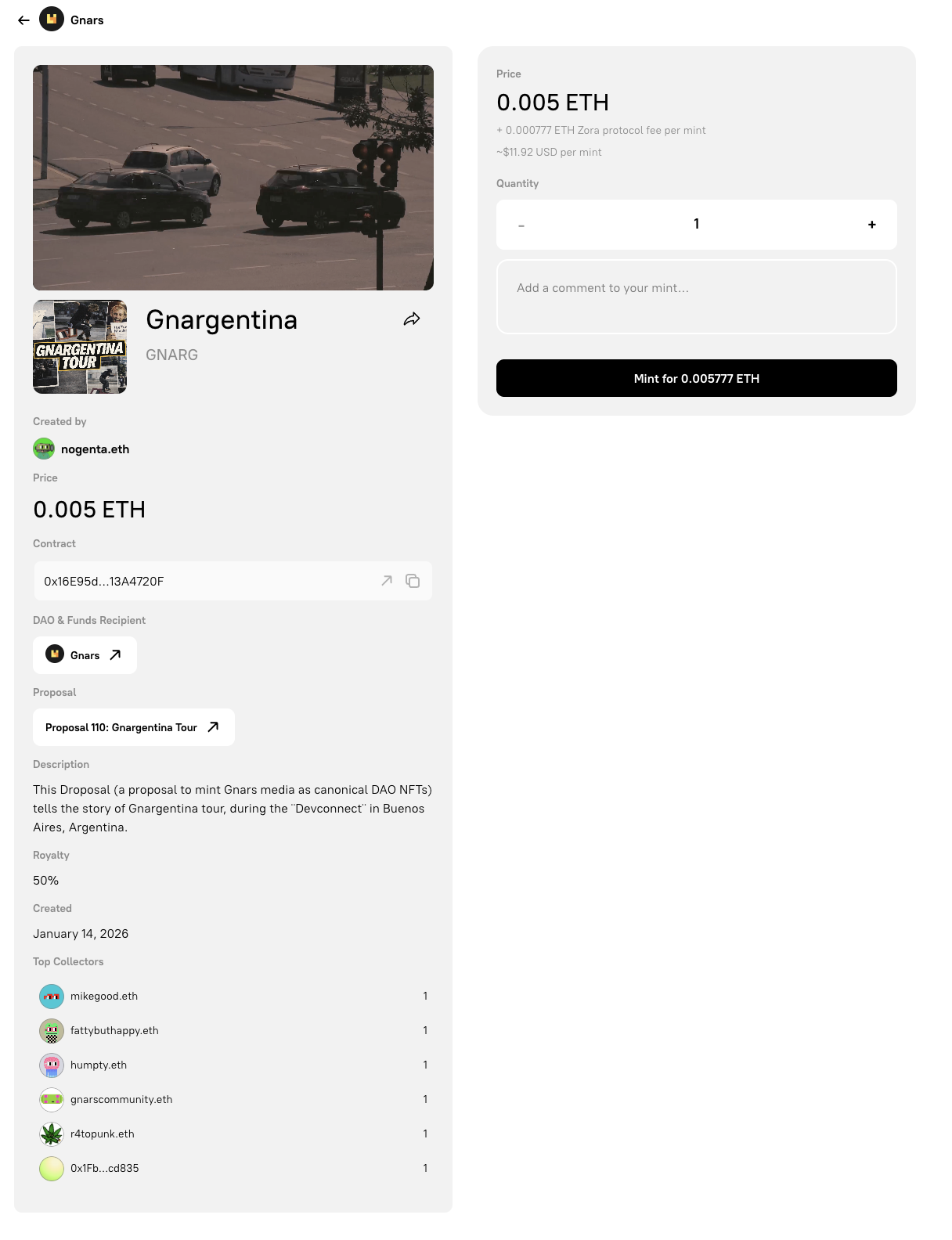
The standalone droposal mint page. Share this URL directly with your audience so they can mint without interacting with the DAO governance interface.
Droposals in the DAO Gallery
Section titled “Droposals in the DAO Gallery”Droposals appear in the Gallery tab of any DAO that has created them. Each droposal card is labelled with a Drop badge in the top-right corner to distinguish it from other gallery content types.
Visitors can mint directly from the gallery card without leaving the DAO page, or click through to the full standalone mint page.
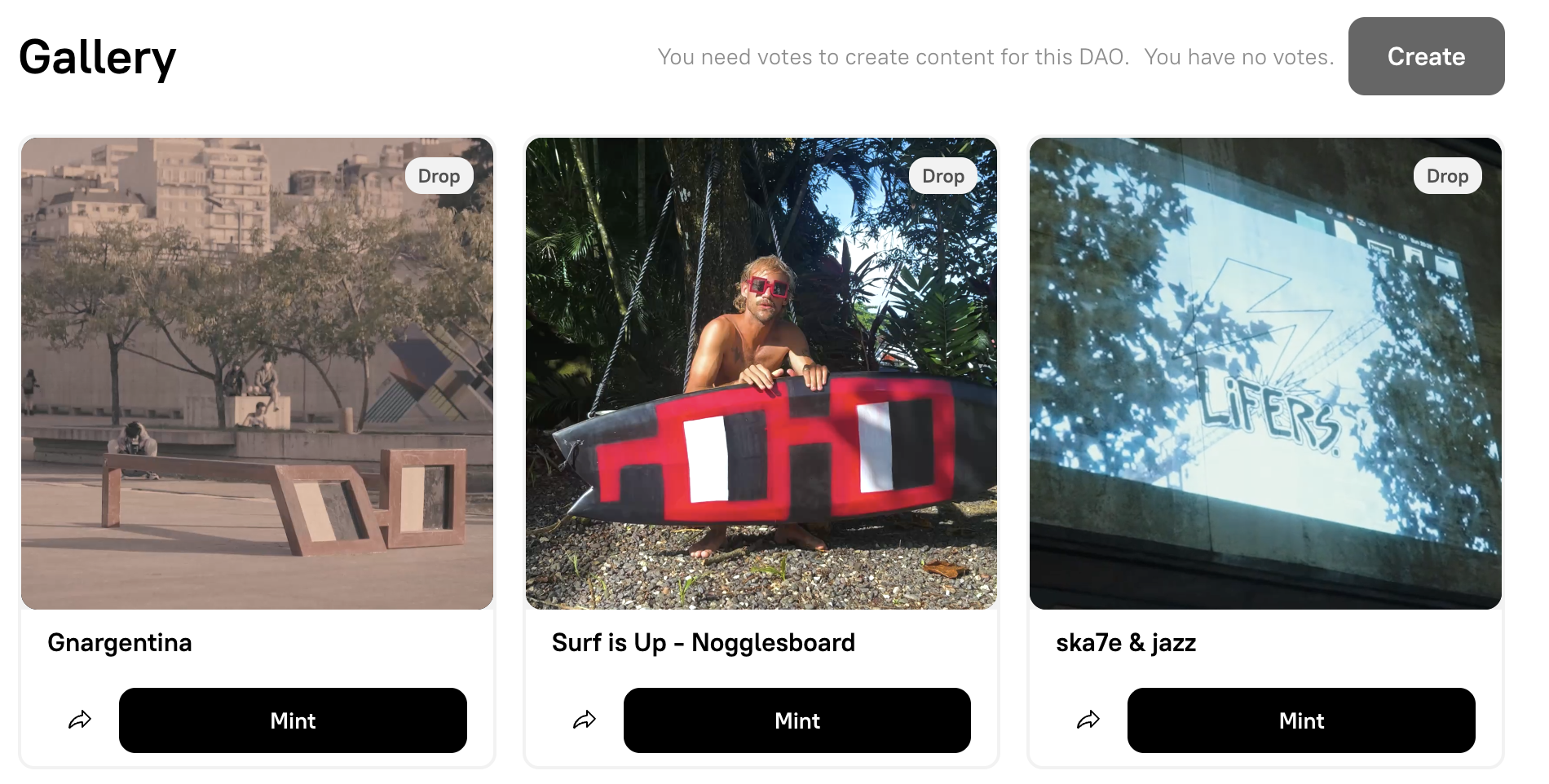
The DAO Gallery tab. Droposals are marked with a Drop badge and include a Mint button directly on the card.
Creating a Droposal
Section titled “Creating a Droposal”To create a new droposal:
- Open your DAO, select the Proposals tab and click Create Proposal.
- Write a proposal title and description explaining the drop.
- On the Add Transactions step, select Droposal: Single Edition from the transaction type dropdown.
- Configure the collection, artwork, sale and revenue settings. Use Advanced to change the edition type and size, royalties, mint limit per address or default administrator.
- If Use revenue split is enabled, select Create split, sign the separate deployment transaction and wait for confirmation. Check that the deployed split address is shown as the payout address.
- Add the Droposal transaction to the queue, then review and submit the proposal for a governance vote.
- If the proposal passes and is executed, the
ERC721Dropcontract is deployed and the mint page becomes active.
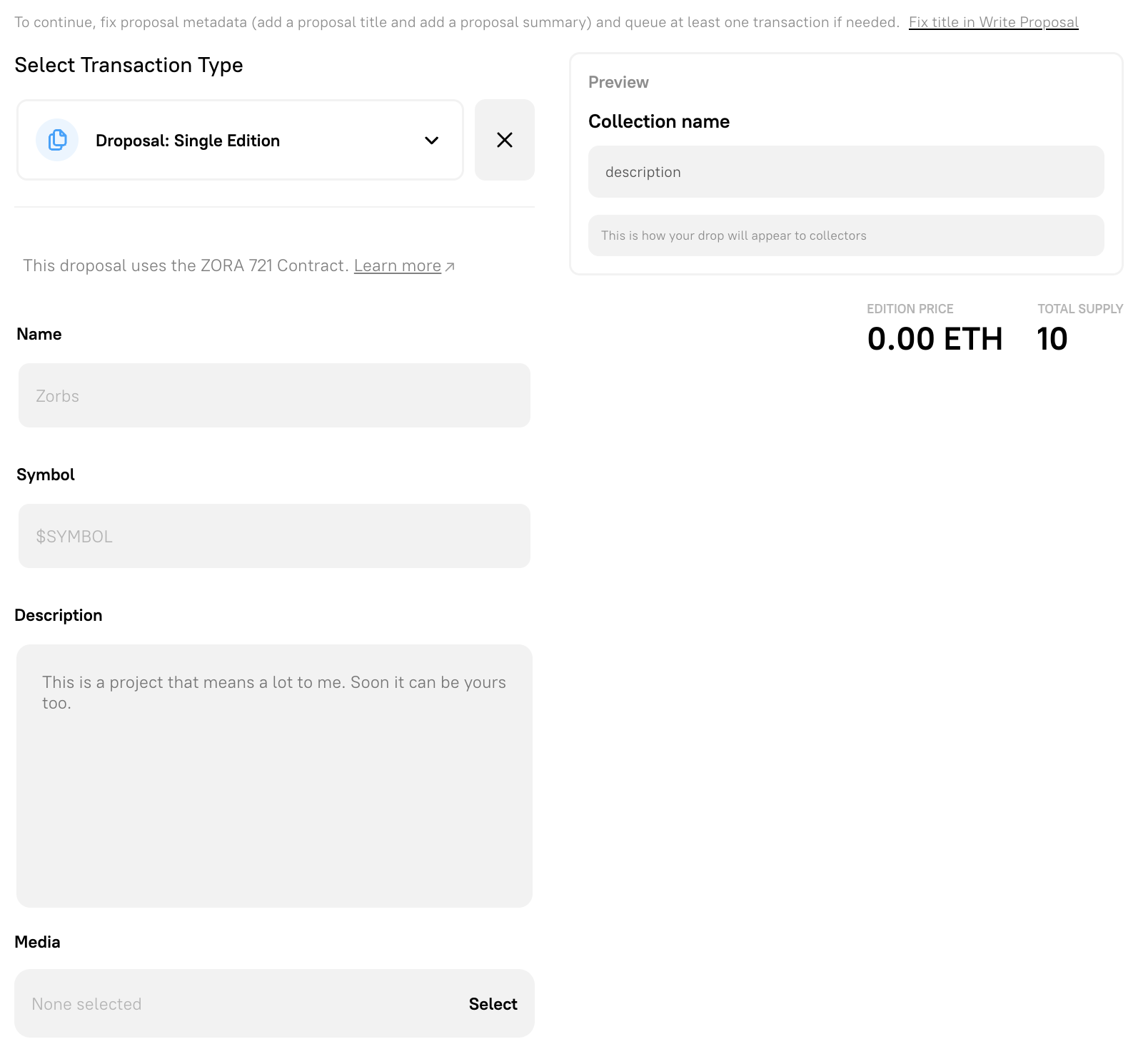
Select Droposal: Single Edition from the transaction type dropdown on the Add Transactions step.
Droposals use an open edition with unlimited mints per wallet by default. Change these settings under Advanced when the drop needs a fixed supply or per-wallet mint limit.
Splitting Revenue
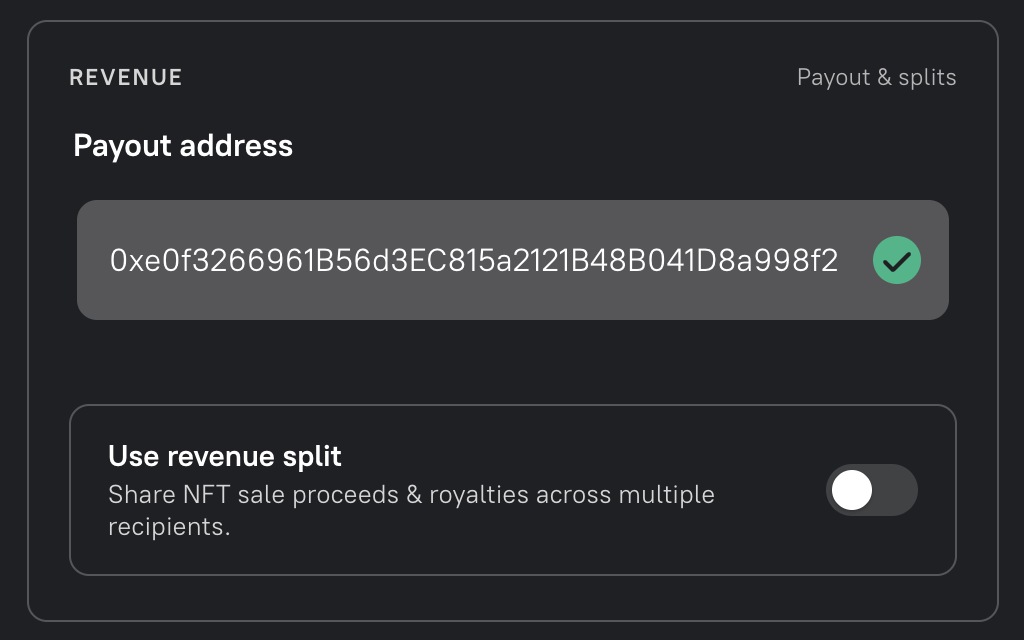
Section titled “Splitting Revenue”Enable Use revenue split under Revenue to deploy an optional 0xSplits v1 contract that shares mint proceeds and royalties between multiple recipients.
The Revenue section contains the payout address and the optional split configuration.
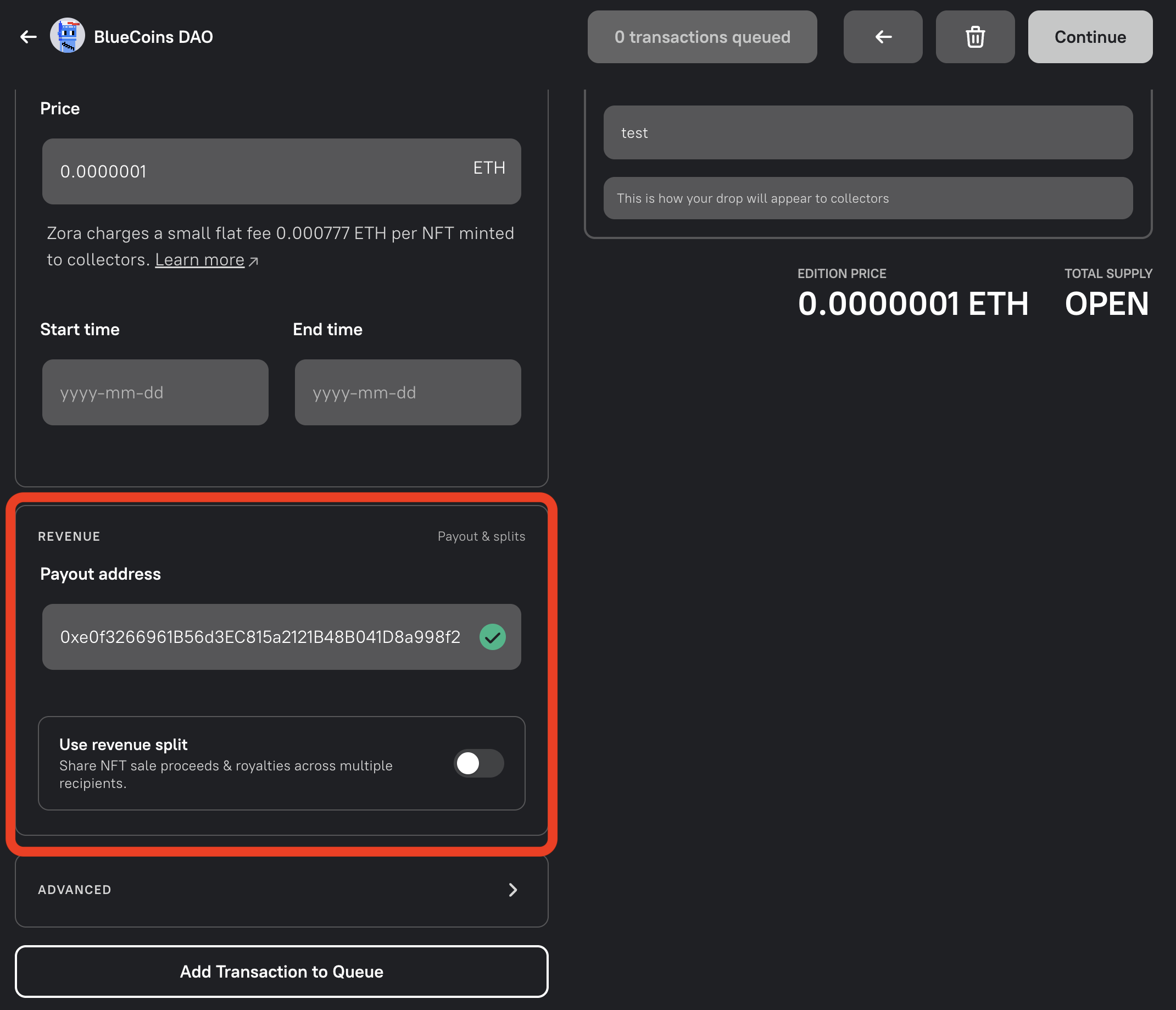
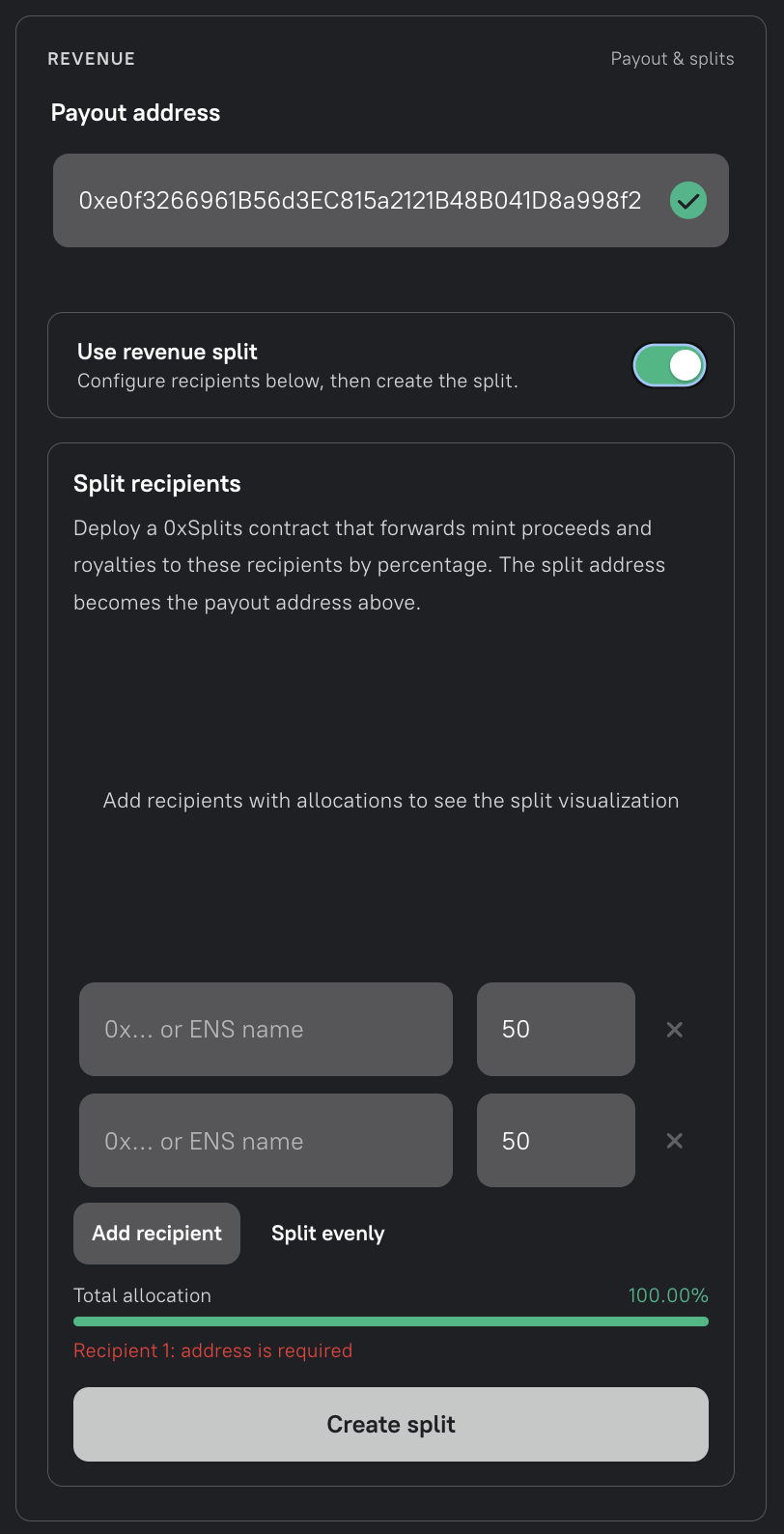
When the split option is enabled, add recipients and their allocations. Recipient addresses must be unique and the allocations must total 100% before you can create the split.
The recipient editor starts with two equal allocations. Enter an address or ENS name for each recipient, adjust the percentages as needed, and use Add recipient for additional recipients. Split evenly resets the allocations to equal shares.
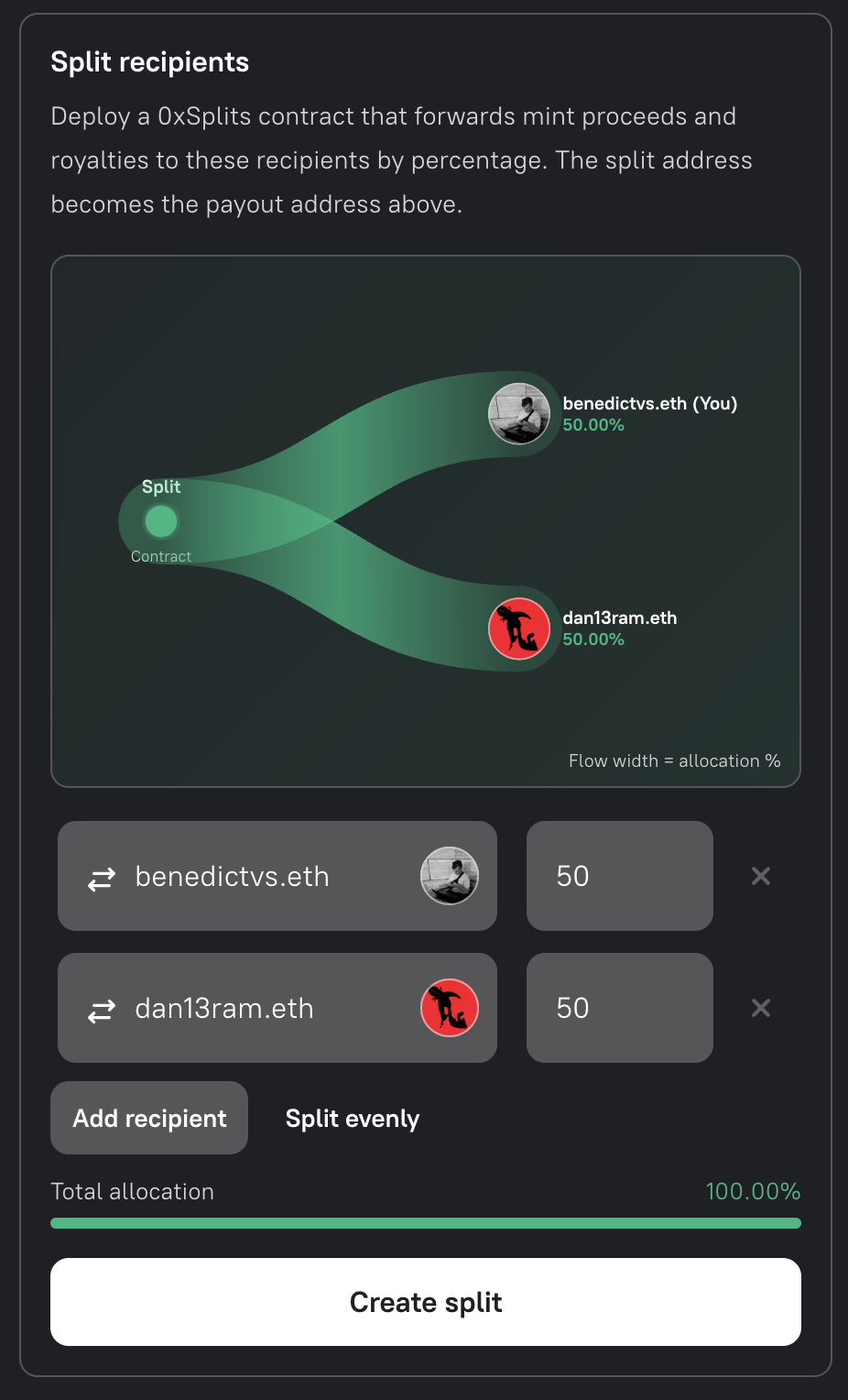
As recipients and allocations become valid, the flow visualization shows each recipient’s share. The width of each flow represents its allocation percentage.
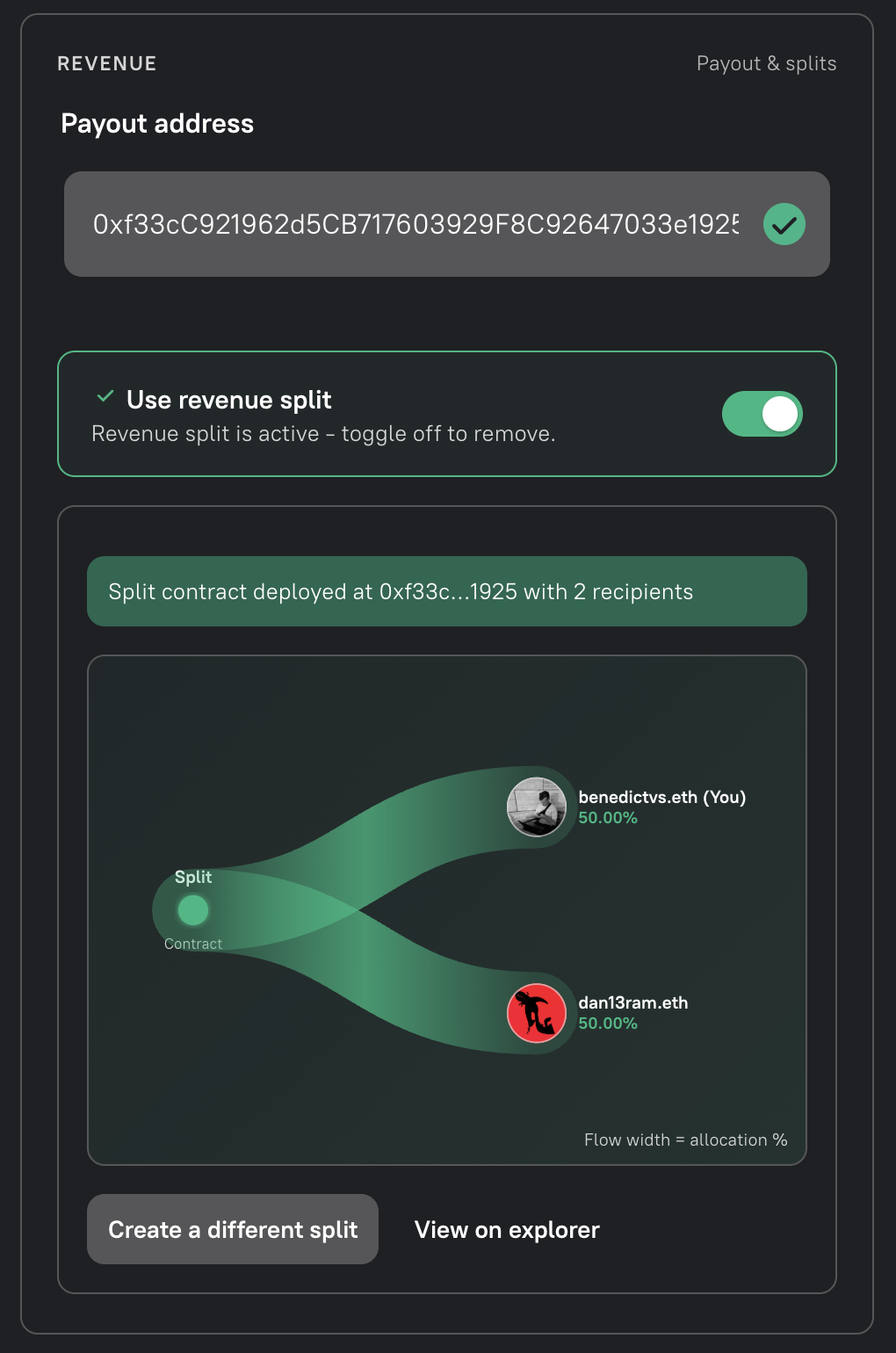
Creating the split requires a separate wallet transaction. Once deployed, its address becomes the Droposal’s payout address; the Droposal itself still needs to pass through governance. The split receives sale proceeds and royalties sent to that payout address, but it does not automatically forward them to recipients.
Distributing and Withdrawing Split Revenue
Section titled “Distributing and Withdrawing Split Revenue”After the Droposal is executed, open its standalone mint page. The Revenue split contract panel below the mint form shows the split contract, its creation transaction, and every recipient’s allocation.
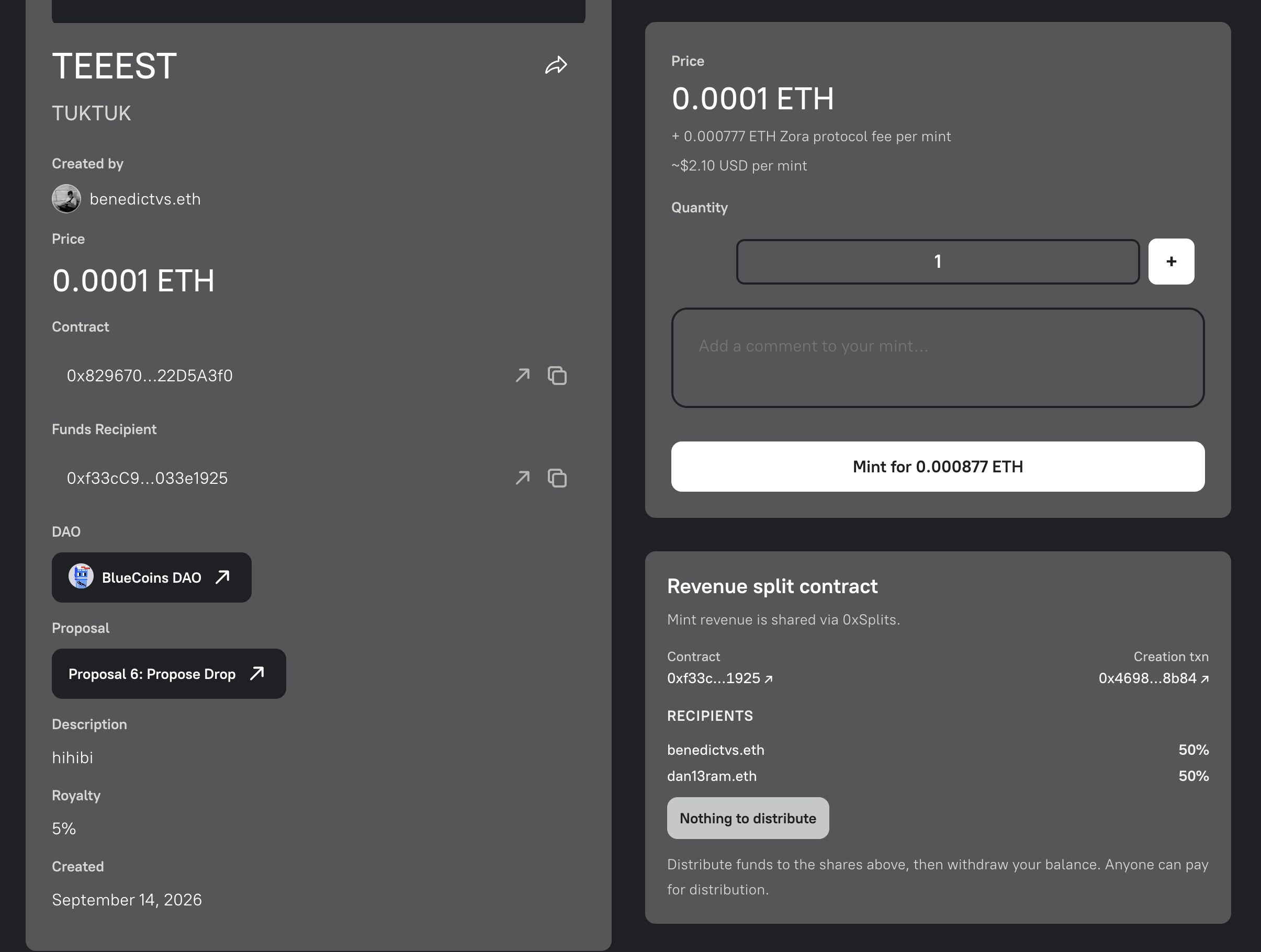
The split details and payout controls are available directly on the Droposal page.
To retrieve funds through Builder:
- Connect the wallet included as a recipient in the split.
- Open the Droposal page and scroll to Revenue split contract.
- Use the available action to distribute funds according to the displayed shares, then withdraw the balance allocated to your connected wallet.
- Confirm the required wallet transaction or transactions. Funds reach the recipient wallet only after withdrawal completes.
The action reflects the split’s current state. For example, Nothing to distribute appears when the split has no balance ready for distribution.
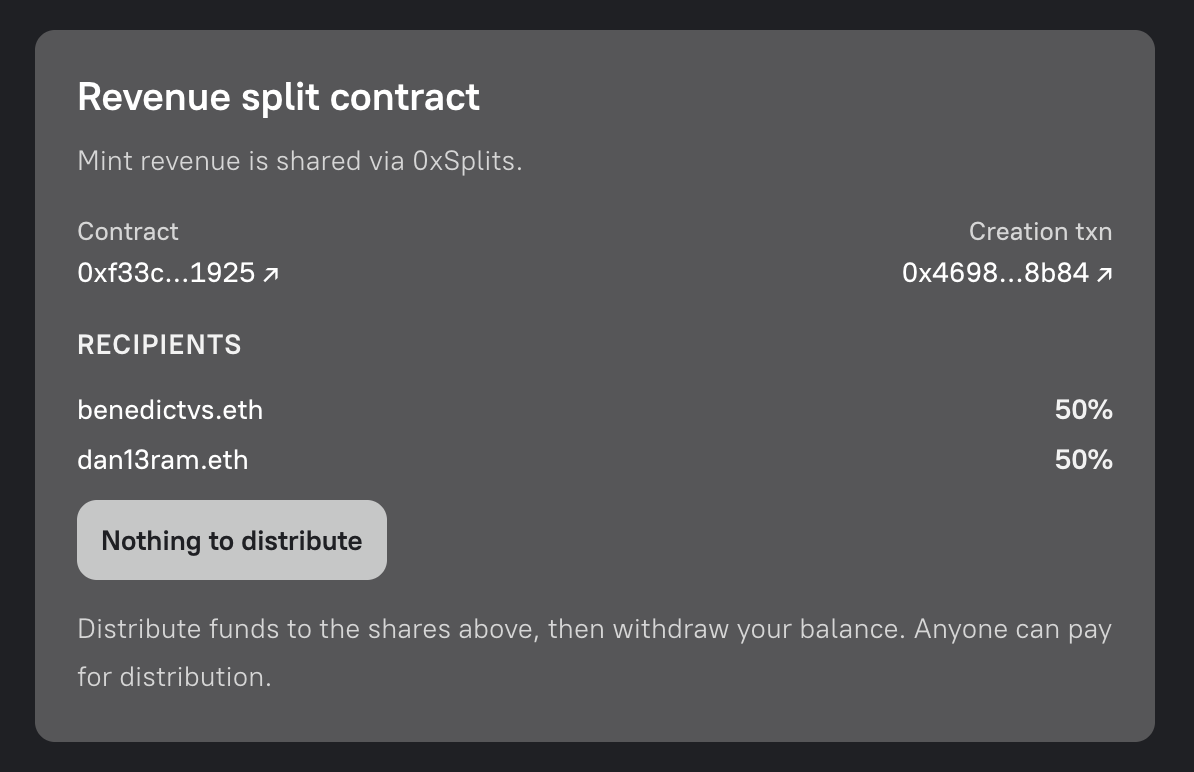
A connected recipient sees the distribution and withdrawal controls.
Logged-out visitors and connected wallets that are not included in the split see the contract, creation transaction, recipients, and allocation percentages without payout controls.
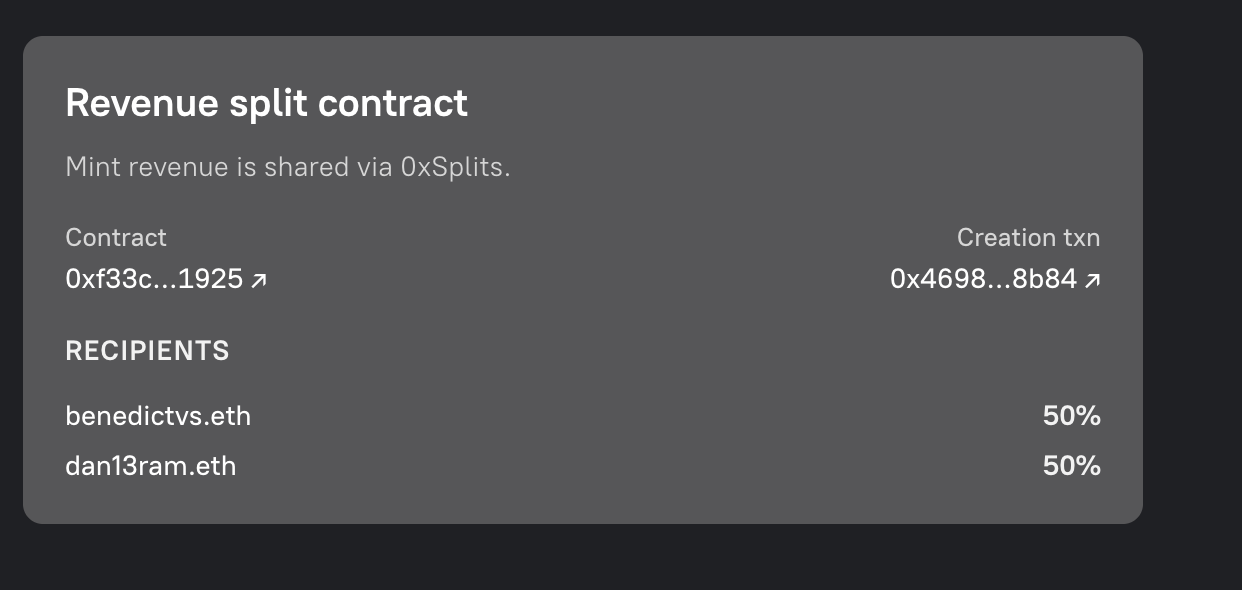
The read-only view makes the split configuration publicly verifiable.
You can still use the split address in the Splits app to distribute funds and withdraw a recipient balance, or use a block explorer to confirm the distribution transaction and balances.
Technical Reference
Section titled “Technical Reference”The following section covers the ERC721Drop contract standard used by droposals. This is adapted from Zora’s archived documentation.
Contract Types
Section titled “Contract Types”NFT contracts created from the ZoraNFTCreator are known as ERC721Drop contracts. Each drop contract is cloned from an implementation address and receives its own address. Both Editions and Drops use the same base contract but have different metadata rendering contracts.
Every time an NFT is minted and sold using these contracts, 5% of the primary sale amount is reserved by the Zora DAO. Nothing is taken on secondary sales.
Edition: A collection where all NFTs share the same media asset.Drop: A collection where each NFT has its own individual media asset.
Sales Configuration
Section titled “Sales Configuration”The sales configuration is set when the contract is created and holds all minting and sales parameters.
Times are Unix Timestamps
Section titled “Times are Unix Timestamps”publicSaleStart: Start time for public mintingpublicSaleEnd: End time for public mintingpresaleStart: Start time for private (allowlist) mintingpresaleEnd: End time for private mintingpublicSalePrice: Price in ETH required to mint one NFTmaxSalePurchasePerAddress: Max number of NFTs one address can mint during the public salepresaleMerkleRoot: Cryptographic proof used for presale allowlist minting
Note that presaleMerkleRoot can be set to 0x0000000000000000000000000000000000000000000000000000000000000000 if no allowlist minting is planned. Current values can be read by calling salesConfig on the contract, and updated by calling setSaleConfiguration.
function setSaleConfiguration( uint104 publicSalePrice, uint32 maxSalePurchasePerAddress, uint64 publicSaleStart, uint64 publicSaleEnd, uint64 presaleStart, uint64 presaleEnd, bytes32 presaleMerkleRoot)Collection Size
Section titled “Collection Size”Fixed Size
Section titled “Fixed Size”A fixed-size collection has a maximum number of NFTs that can be minted, set via the editionSize parameter at contract creation.
Open Edition
Section titled “Open Edition”An open edition has no maximum supply but has a defined minting window. Once the window closes, public minting is no longer possible. finalizeOpenEdition must be called by an admin after the window closes.
function finalizeOpenEdition()Minting Functions
Section titled “Minting Functions”adminMint
Section titled “adminMint”Allows an admin to mint a number of NFTs to an address without paying the base price or protocol rewards.
function adminMint(address recipient, uint256 quantity)adminMintAirdrop
Section titled “adminMintAirdrop”Allows an admin to mint one NFT to each of multiple addresses in a single transaction.
function adminMintAirdrop(address[] calldata recipients)mintWithRewards
Section titled “mintWithRewards”The public minting function, callable by anyone once the public sale has started.
function mintWithRewards( address recipient, uint256 quantity, string calldata comment, address mintReferral)purchasePresaleWithRewards
Section titled “purchasePresaleWithRewards”The allowlist minting function, requiring a Merkle proof.
function purchasePresaleWithRewards( uint256 quantity, uint256 maxQuantity, uint256 pricePerToken, bytes32[] calldata merkleProof, string memory comment, address mintReferral)Collection Roles
Section titled “Collection Roles”The owner has no write access to contract functions. They can only set royalty and contract configurations on third-party platforms that expect an owner field. Defaults to the default admin address at creation, but can be updated by a default admin.
Default Admin
Section titled “Default Admin”The most privileged role, set at contract initialisation. Capabilities include:
- Assign and revoke admin roles
- Call
adminMintandadminMintAirdrop - Change the owner address
- Update
salesConfig - Call
finalizeOpenEdition
bytes32 role = 0x0000000000000000000000000000000000000000000000000000000000000000Minter Role
Section titled “Minter Role”A restricted admin that can only access the adminMint and adminMintAirdrop functions.
bytes32 role = MINTER_ROLE
Sales Manager Role
Section titled “Sales Manager Role”A restricted admin that can only update salesConfig and call withdraw.
bytes32 role = SALES_MANAGER_ROLE
Assigning and Revoking Roles
Section titled “Assigning and Revoking Roles”Admin roles can only be assigned and revoked by default admins.
Checking Admin Status
Section titled “Checking Admin Status”function isAdmin(address user)function hasRole(bytes32 role, address account)Granting a Role
Section titled “Granting a Role”function grantRole(bytes32 role, address account)Revoking a Role
Section titled “Revoking a Role”function revokeRole(bytes32 role, address account)Changing the Owner
Section titled “Changing the Owner”function setOwner(address newOwner)Withdrawing Funds from the Droposal Contract
Section titled “Withdrawing Funds from the Droposal Contract”Once minting concludes, funds can be moved out of the contract by calling withdraw. This can be called by a default admin, the fundsRecipient address, a sales manager, or the Zora DAO.
When fundsRecipient is a split contract, this call moves the proceeds into the split. Recipients can then use the distribution and withdrawal flow described above.
function withdraw()Funds are pushed to the fundsRecipient address (set to the default admin at initialisation). This can be updated:
function setFundsRecipient(address payable newRecipientAddress)Creating a Presale Allowlist
Section titled “Creating a Presale Allowlist”A Merkle root condenses a large list of allowed addresses into a single small piece of data stored on-chain. Use the following tools to generate a Merkle root and proofs:
It is also possible to upload an allowlist via the manage interface on the create website and access proofs from the API.
Updating Contract Info on OpenSea
Section titled “Updating Contract Info on OpenSea”Once deployed, the address set as the owner must log in to OpenSea to access and update contract information.
Upgrading the Contract
Section titled “Upgrading the Contract”Upgrades are opt-in and can only be initiated by a default admin. Only upgrades listed in the Zora registry are available.
function upgradeTo(address newImplementation)function upgradeToAndCall(address newImplementation, bytes data)