Coining
Overview
Section titled “Overview”Coining is Builder’s framework for launching on-chain fungible tokens directly from DAO proposals. It is an addition to the legacy Droposal model. Communities now also can make use of two ERC-20 coin types, Creator Coins and Content Coins, for governance and community engagement. These coin types are as follows:
- Creator Coin (DAO Coin): The primary coordination token for a DAO, deployed via Clanker. Always governance-gated — a DAO vote is required to deploy it.
- Content Coin: A post- or contribution-level token, deployed via Zora’s ERC-20 Coining SDK. Issued through a DAO proposal or as a permissionless post and paired against the DAO’s Creator Coin.
Together, these two coin types form a hierarchy: $CONTENT → $CREATOR → $WETH, in which trading fees flow up the chain, rewarding the DAO and supporting long-term sustainability.
Key concepts
Section titled “Key concepts”- Creator Coin: A DAO-level ERC-20 token deployed via Clanker. Represents the primary value-capture layer for the DAO.
- Content Coin: A post-level ERC-20 token deployed via Zora Coining SDK, paired to the DAO’s Creator Coin.
- Base Currency: The token a coin is priced against. For Creator Coins this is WETH; for Content Coins this is the DAO’s Creator Coin.
- Pool Configuration: Liquidity pool settings (fee structure, tick ranges) set at deployment and managed by the DAO treasury.
- Initial Purchase: An optional ETH amount the treasury spends to seed initial liquidity on Creator Coin deployment.
- Coin Creations: The section on a proposal’s detail page showing which coins will be (or were) deployed if the proposal passes.
Creator Coin (DAO Coin)
Section titled “Creator Coin (DAO Coin)”Concept
Section titled “Concept”A Creator Coin is the DAO’s primary ERC-20 token. It is deployed once per DAO and acts as the base currency for all Content Coins that DAO subsequently creates or that are created on its behalf. Deployment requires a successful governance vote.
Creator Coins are powered by Clanker v4 and launch with a Uniswap v4 liquidity pool. The DAO treasury becomes the token admin and liquidity reward recipient.
Workflow overview
Section titled “Workflow overview”- Draft and publish a proposal.
- Add a Creator Coin transaction with metadata and pool settings.
- Review, submit, and execute the proposal on-chain.
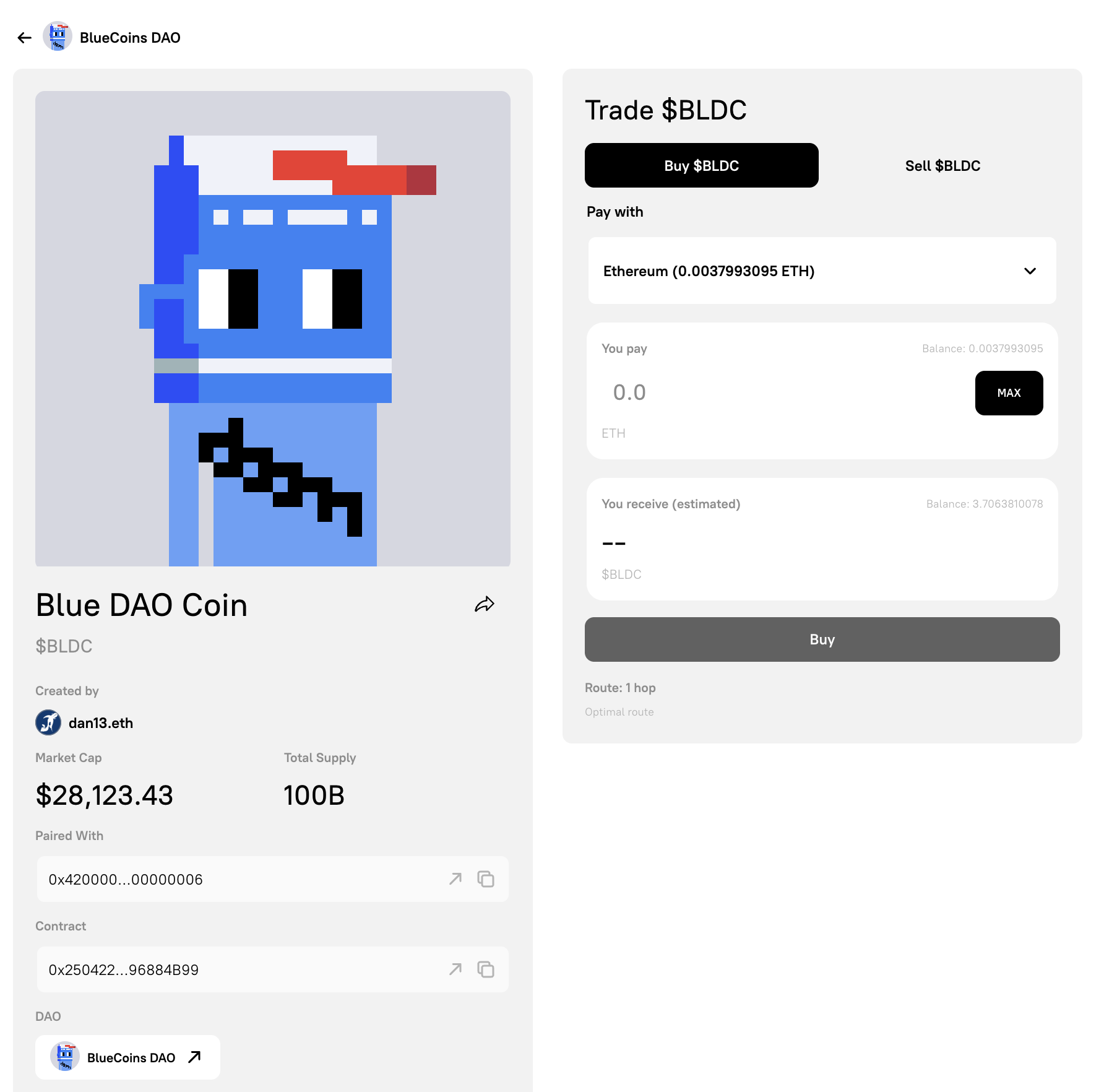
- Use the coin page and Coin Creations section to monitor and trade.
Step 1: Write the proposal
Section titled “Step 1: Write the proposal”- Go to your DAO’s dashboard and click Create Proposal.
- Enter a clear title (for example, “Deploy [DAO Name] Creator Coin”) and a markdown description explaining why the DAO is launching a Creator Coin and what it will be used for.
- Click Continue to proceed to the Add Transactions step.
Step 2: Add the Creator Coin transaction
Section titled “Step 2: Add the Creator Coin transaction”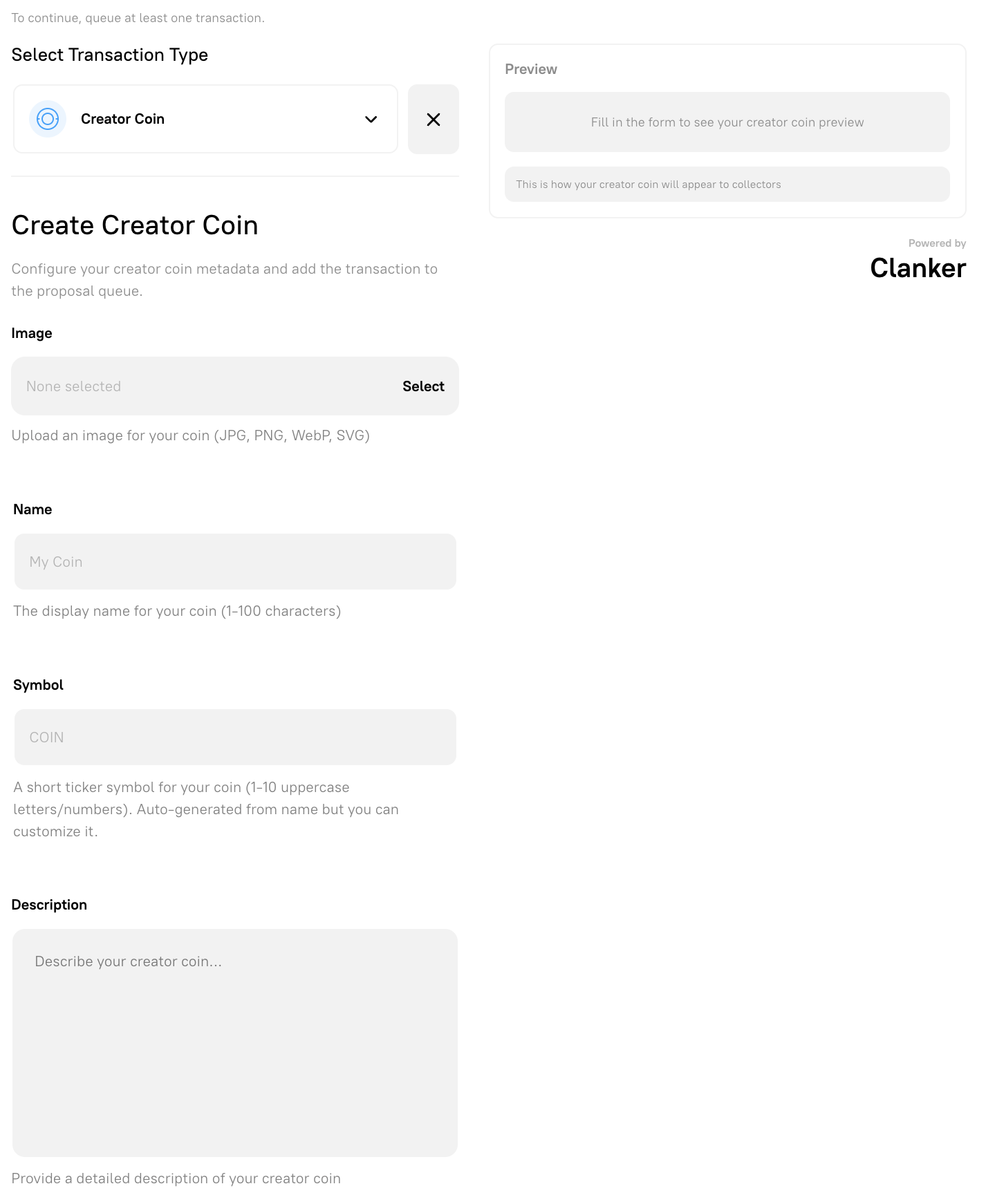
- Select Creator Coin from the transaction type dropdown on the Add Transactions step.
- Fill in the coin metadata on the left; the right panel updates with a live preview as you type.
- Optionally expand Advanced Pool Settings to configure pool and vault behaviour.
Creator Coin metadata
Section titled “Creator Coin metadata”| Field | Description |
|---|---|
| Media | Upload a MP4, JPG, PNG, WebP, or SVG file for your coin. |
| Name | The display name for your coin (1–100 characters). |
| Symbol | A short ticker (1–10 uppercase letters/numbers). Auto-generated but editable. |
| Description | A description of the coin and its purpose within the DAO. |
| Base Currency | The token your Creator Coin will be paired against. Defaults to WETH. |
Creator Coin pool configuration
Section titled “Creator Coin pool configuration”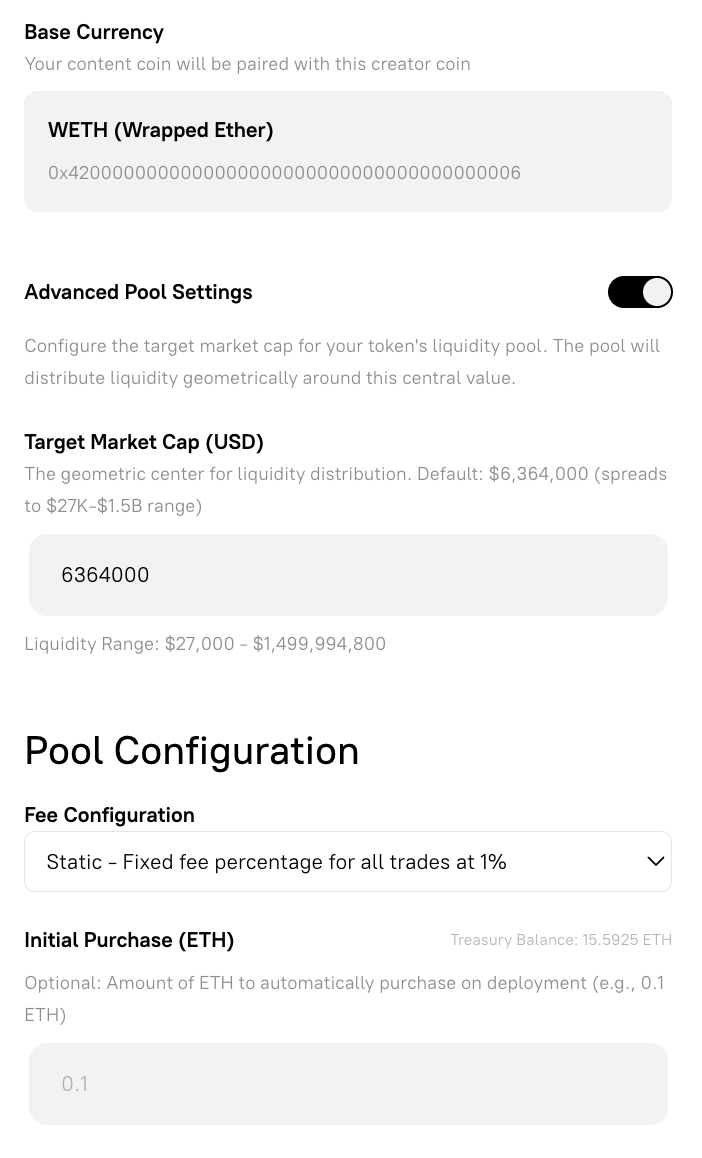
Vault settings
Section titled “Vault settings”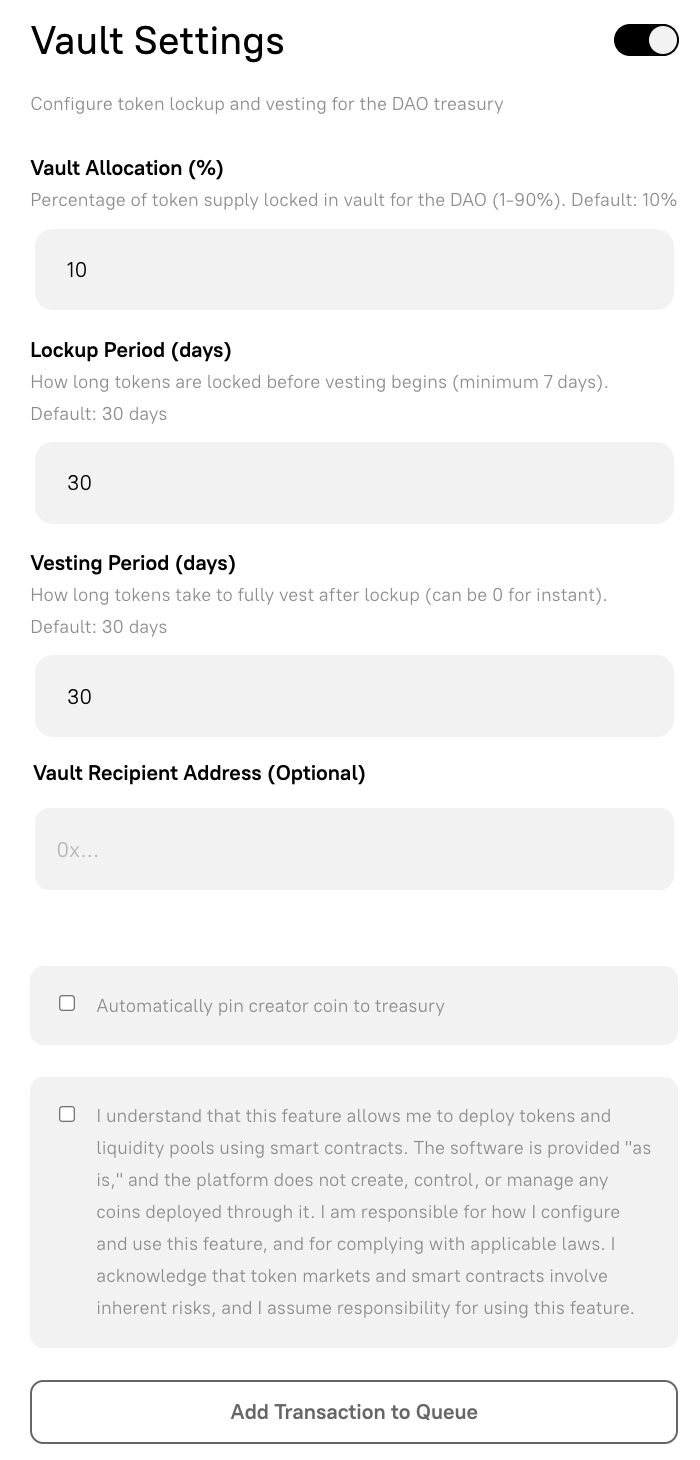
The Advanced Pool Settings panel configures the fee structure and optional initial ETH purchase.
- Fee Configuration: Choose between Static (fixed 1% fee) or Dynamic (1–5% based on trading volume).
- Initial Purchase (ETH): An optional amount of ETH for the treasury to spend on the coin at deployment, seeding initial liquidity. The current treasury balance is shown inline.
- Automatically pin creator coin to treasury: Enables the coin to appear prominently in the DAO treasury view.
- Read and accept the disclaimer, then click Add Transaction to Queue.
Step 3: Review, submit, and execute
Section titled “Step 3: Review, submit, and execute”- Click Continue to reach the Review and Submit step.
- Check the transaction simulation results and confirm the on-chain details.
- Submit the proposal on-chain.
Once the proposal passes and is executed, the Creator Coin is deployed. This is helpful from a governance perspective, as the executed Creator Coin proposal page also displays the relevant proposal data.
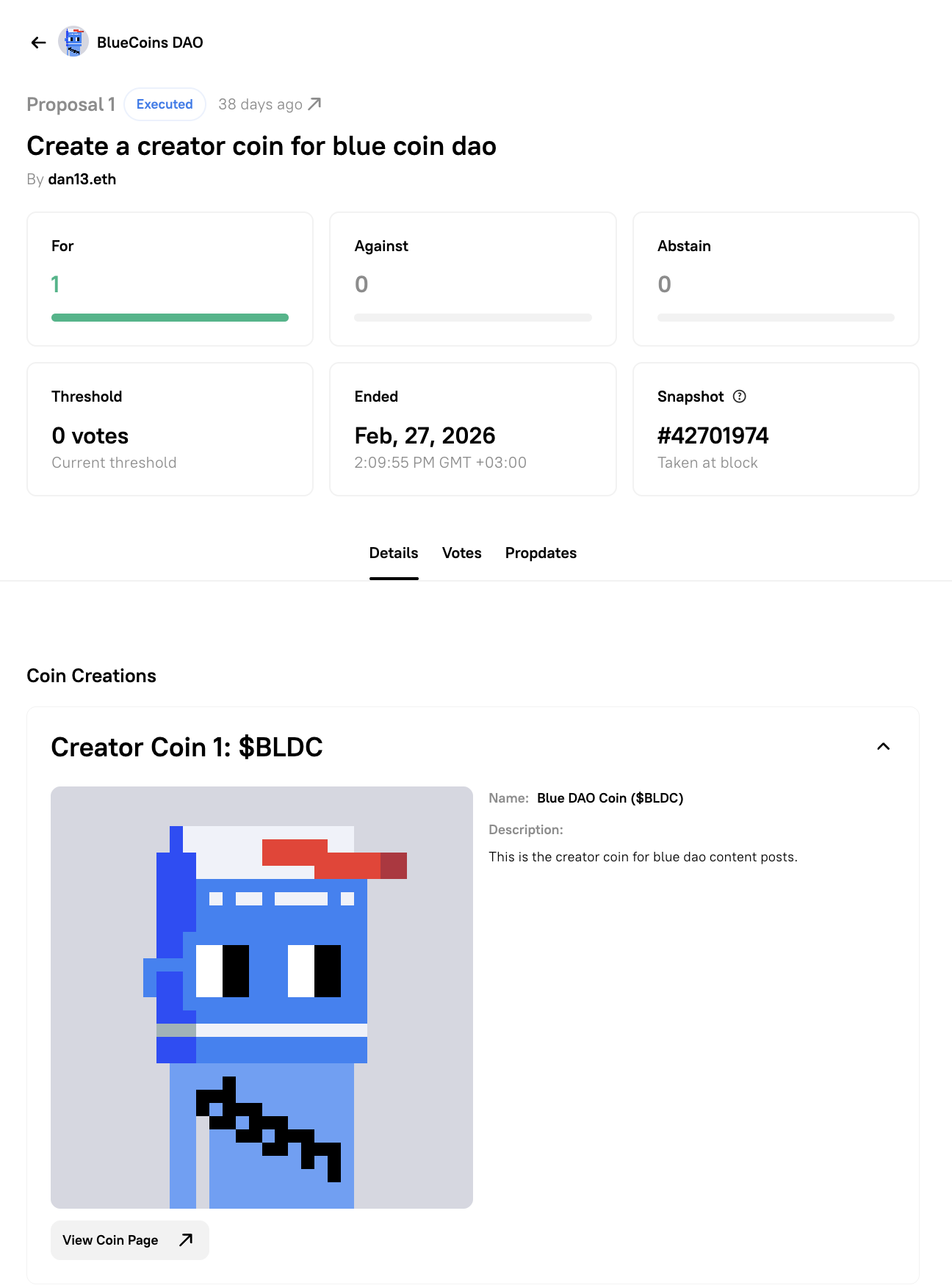
It nests a Coin Creations section that shows the deployed coin’s name, symbol, description, and a link to the coin page. The Coin Creations section on the proposal detail page will update to show the deployed coin name, symbol, description, and a link to the coin’s page.
Content Coin
Section titled “Content Coin”Concept
Section titled “Concept”A Content Coin is a post-level ERC-20 token linked to a specific piece of content — an artwork, a post, a community contribution, or any other discrete output. Content Coins are:
- Deployed via Zora’s ERC-20 Coining SDK.
- Always paired to the DAO’s Creator Coin as their base currency.
- Created through a governance proposal, giving the DAO collective ownership over what gets coined on its behalf, or as a permissionless post.
Workflow overview
Section titled “Workflow overview”- Draft and publish a proposal identifying the content to be coined.
- Add a Content Coin transaction with media, metadata, and optional custom properties.
- Review, submit, and execute the proposal.
- Use the Gallery and coin page to view and trade the coin.
Step 1: Write the proposal
Section titled “Step 1: Write the proposal”- Navigate to your DAO’s dashboard and click Create Proposal.
- Write a title and description that clearly identify the content being coined — include a link to the artwork, post, or contribution where relevant.
- Click Continue.
Step 2: Add the Content Coin transaction
Section titled “Step 2: Add the Content Coin transaction”- Under Select Transaction Type, choose Content Coin from the dropdown.
- Fill in the coin metadata
- Optionally expand Custom Properties to add key-value metadata attributes to the coin.
- Accept the disclaimer and click Add Transaction to Queue.
Content Coin metadata
Section titled “Content Coin metadata”| Field | Description |
|---|---|
| Media | Upload the media for your coin (images, videos, or audio). |
| Name | The display name for the coin (1–100 characters). |
| Symbol | A short ticker (1–10 uppercase letters/numbers). Auto-generated from the name but editable. |
| Description | A description of the content this coin represents. |
| Base Currency | Pre-filled with the DAO’s Creator Coin. This cannot be changed — Content Coins are always paired to the DAO’s Creator Coin. |
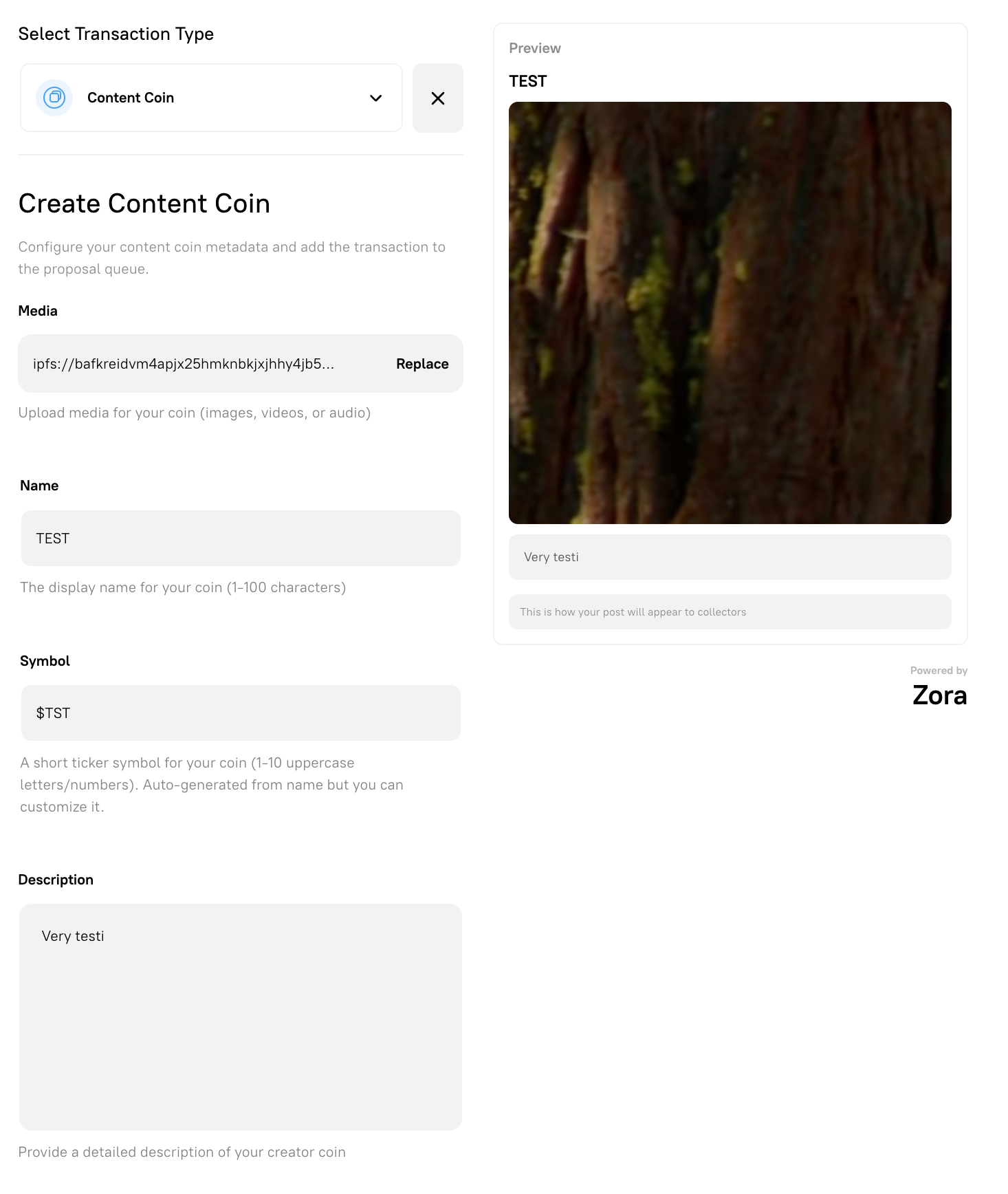
The Content Coin form. The Base Currency field is automatically pre-filled with the DAO’s Creator Coin.
Custom settings
Section titled “Custom settings”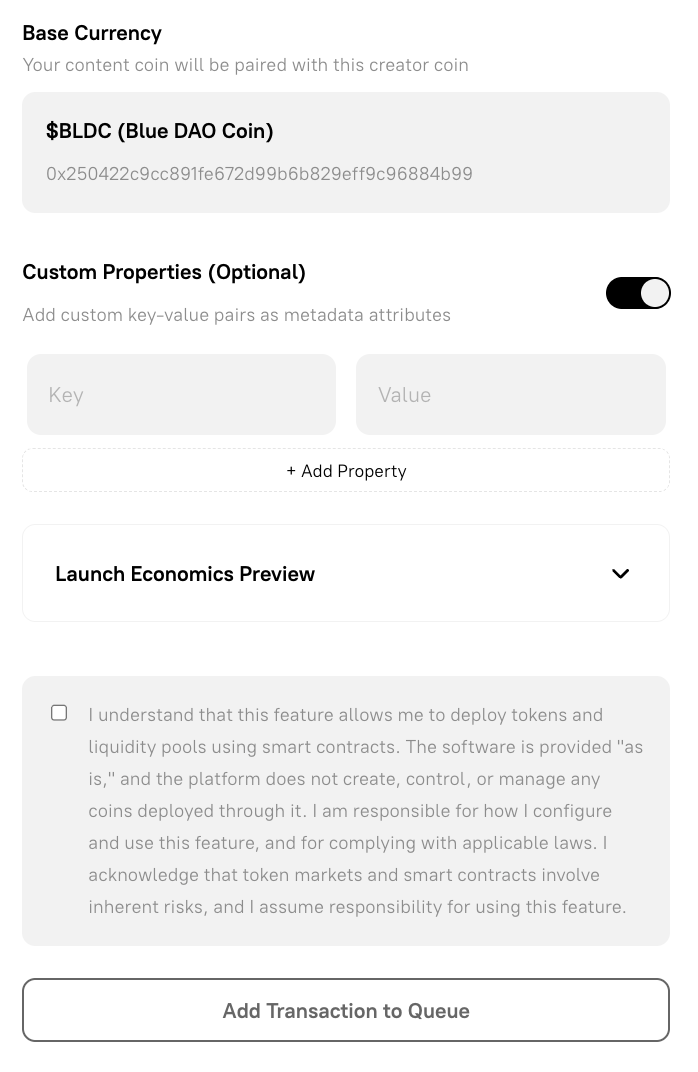
Launch economics
Section titled “Launch economics”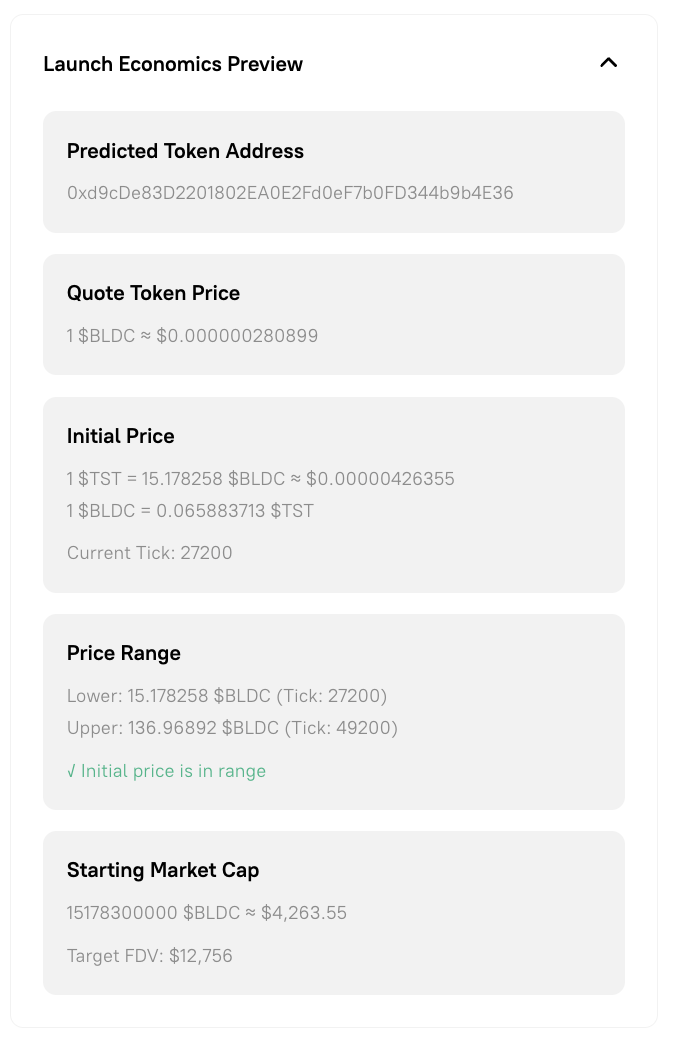
Step 3: Review, submit, and execute
Section titled “Step 3: Review, submit, and execute”- Click Continue to reach the Review and Submit step.
- Verify the simulation results and confirm the transaction details.
- Submit the proposal on-chain.
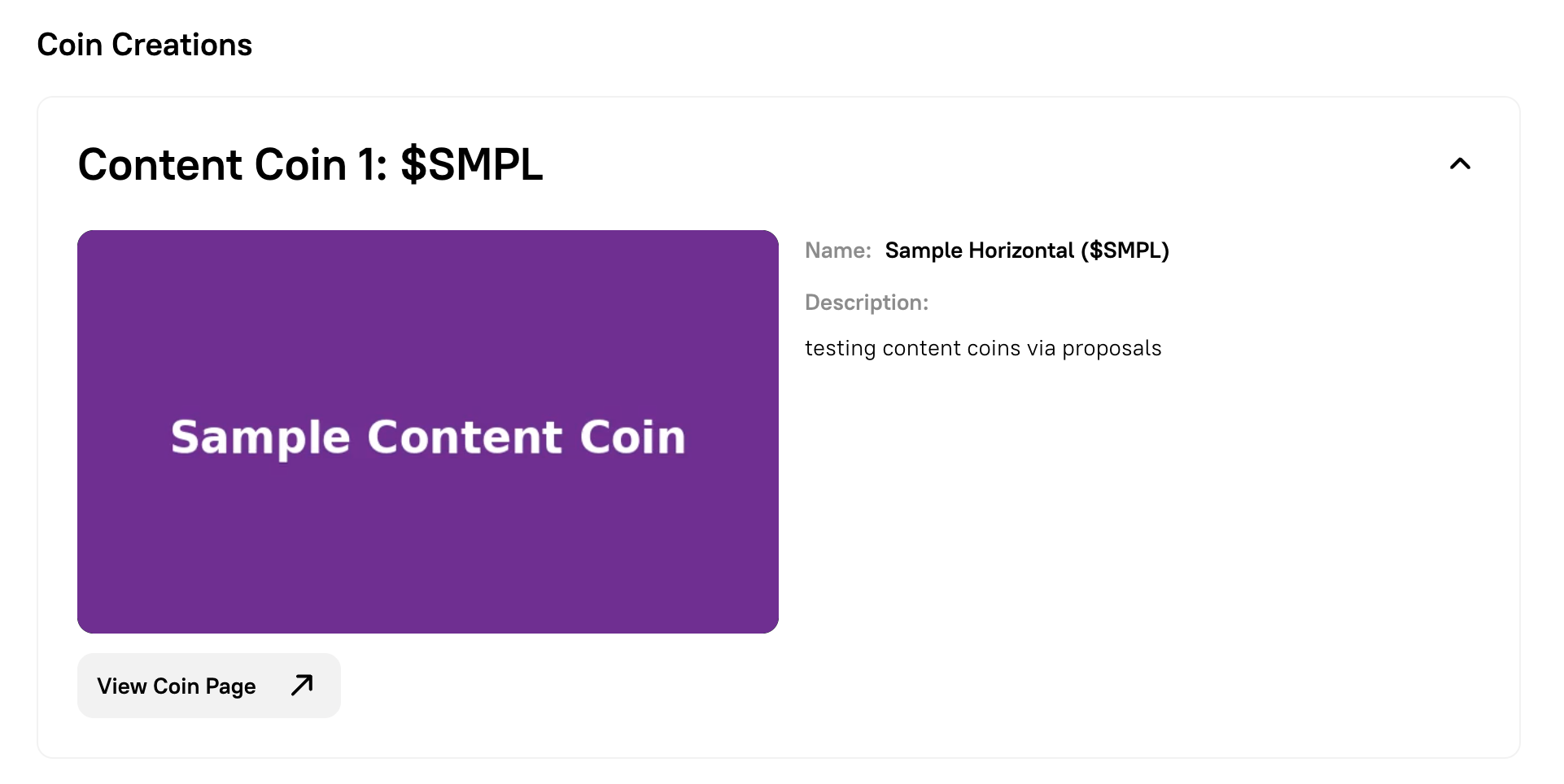
A proposal detail page showing a Content Coin in the Coin Creations section.
Reading Coin Creations and post-execution views
Section titled “Reading Coin Creations and post-execution views”Coin Creations on proposals
Section titled “Coin Creations on proposals”After a coining proposal is submitted, the proposal detail page shows a Coin Creations section under the Details tab. This section is visible at any proposal state — pending, active, executed, or expired — so voters can review what will be deployed before casting their vote.
Each coin card in the section displays:
- The coin type (Creator Coin or Content Coin) and its index within the proposal (for example, “Creator Coin 1”).
- The coin’s ticker symbol (for example,
$BLDC). - The full name, symbol, and description.
- A View Coin Page button linking to the coin’s live trading and collector page (visible after execution).
After execution
Section titled “After execution”Once the proposal is executed:
- The Content Coin is deployed and listed under the Gallery section of the DAO.
- You can also view the coin on its coin page, where you can trade.
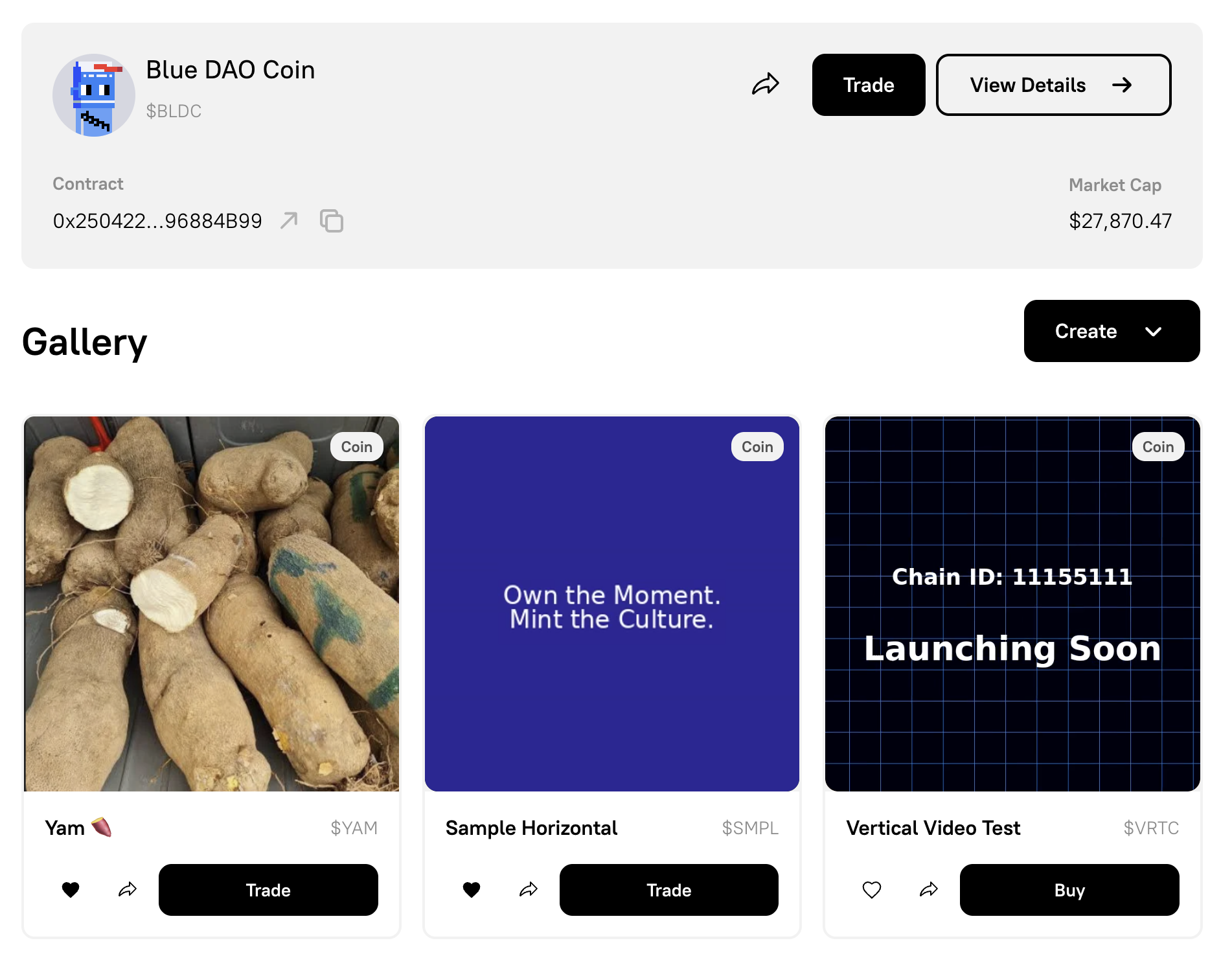
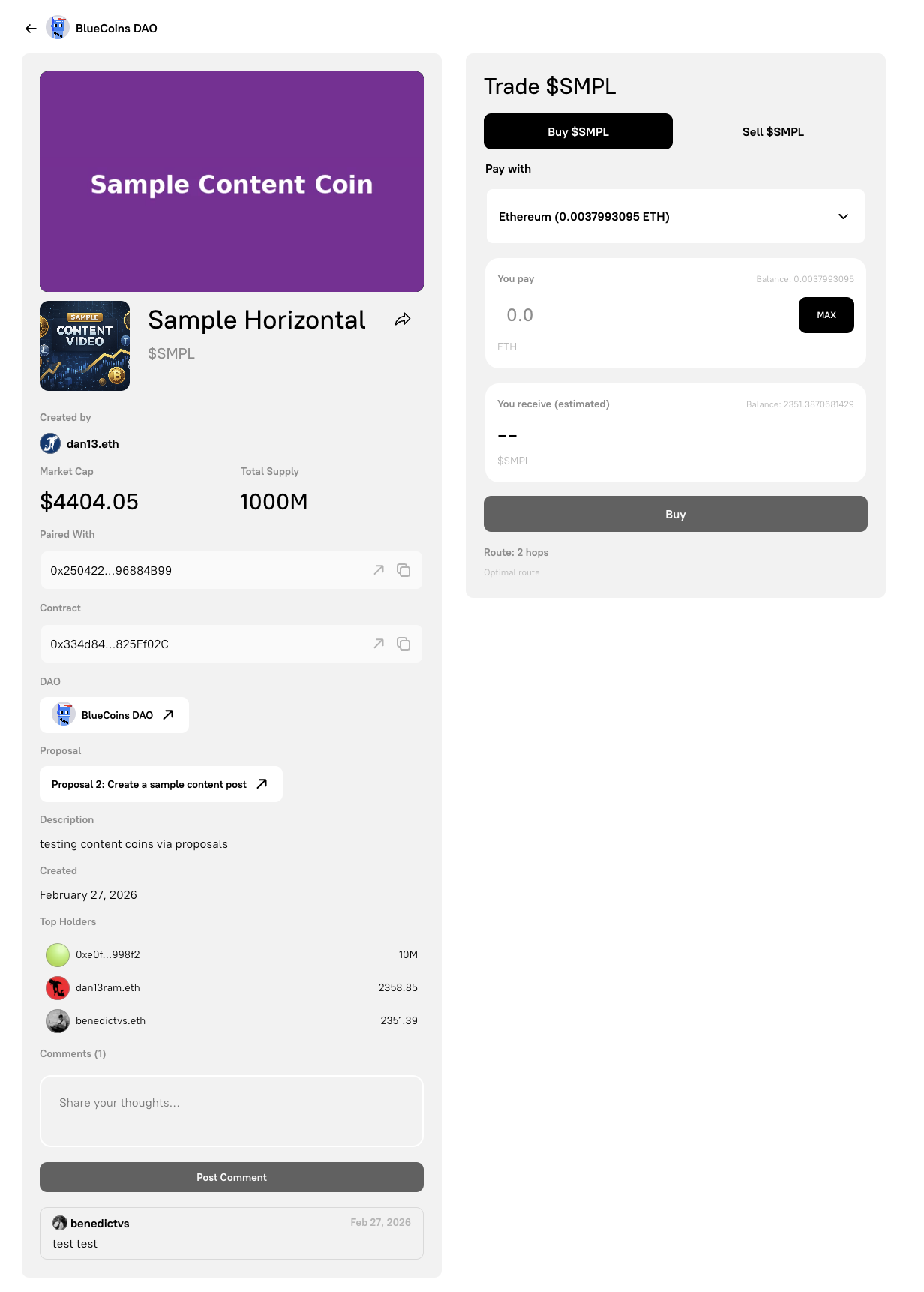
Once executed, you can:
- Trade coins on the coin page.
- Comment on Content Coins on the coin page.
- Like coins by purchasing USD 0.10, USD 0.50, or USD 1.00 worth of the coin.
- Share the coin by copying the link.
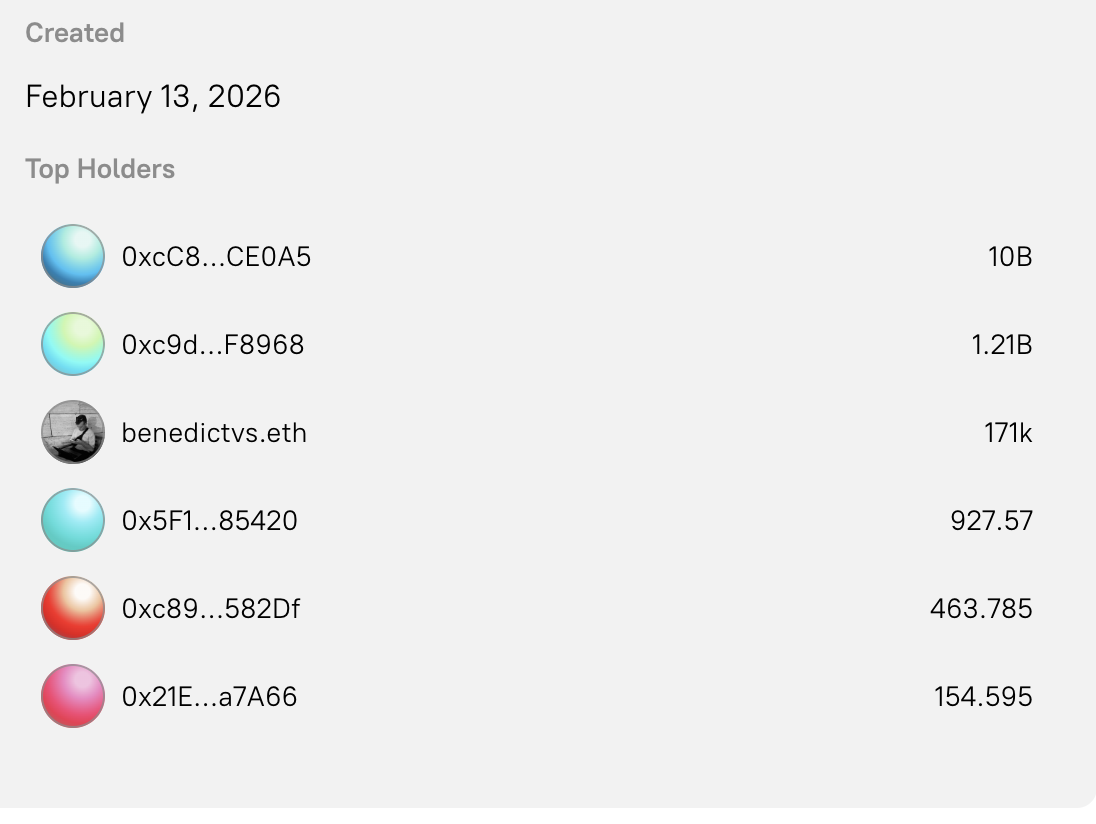
- See the top holders.