Stream Tokens and Airdrop Tokens
Learn how to create Sablier-powered token stream and airdrop proposals
Section titled “Learn how to create Sablier-powered token stream and airdrop proposals”Nouns Builder integrates Sablier to give DAOs two powerful ways to distribute tokens from their treasury over time: Stream Tokens and Airdrop Tokens. Both are available as transaction types when creating a proposal.
Stream Tokens
Section titled “Stream Tokens”The Stream Tokens transaction type lets a DAO create one or more continuous token payment streams to recipients. Streams are powered by Sablier’s Lockup protocol and flow tokens in real time from the moment the proposal is executed. Each stream is represented as an NFT on-chain.
When to Use Stream Tokens
Section titled “When to Use Stream Tokens”Use Stream Tokens when your DAO wants to:
- Pay a contributor or grantee continuously over a defined period
- Vest tokens to a team member with an optional cliff
- Disburse funds at a predictable, auditable rate without manual payments
Creating a Stream Tokens Proposal
Section titled “Creating a Stream Tokens Proposal”Navigate to the Proposal Builder
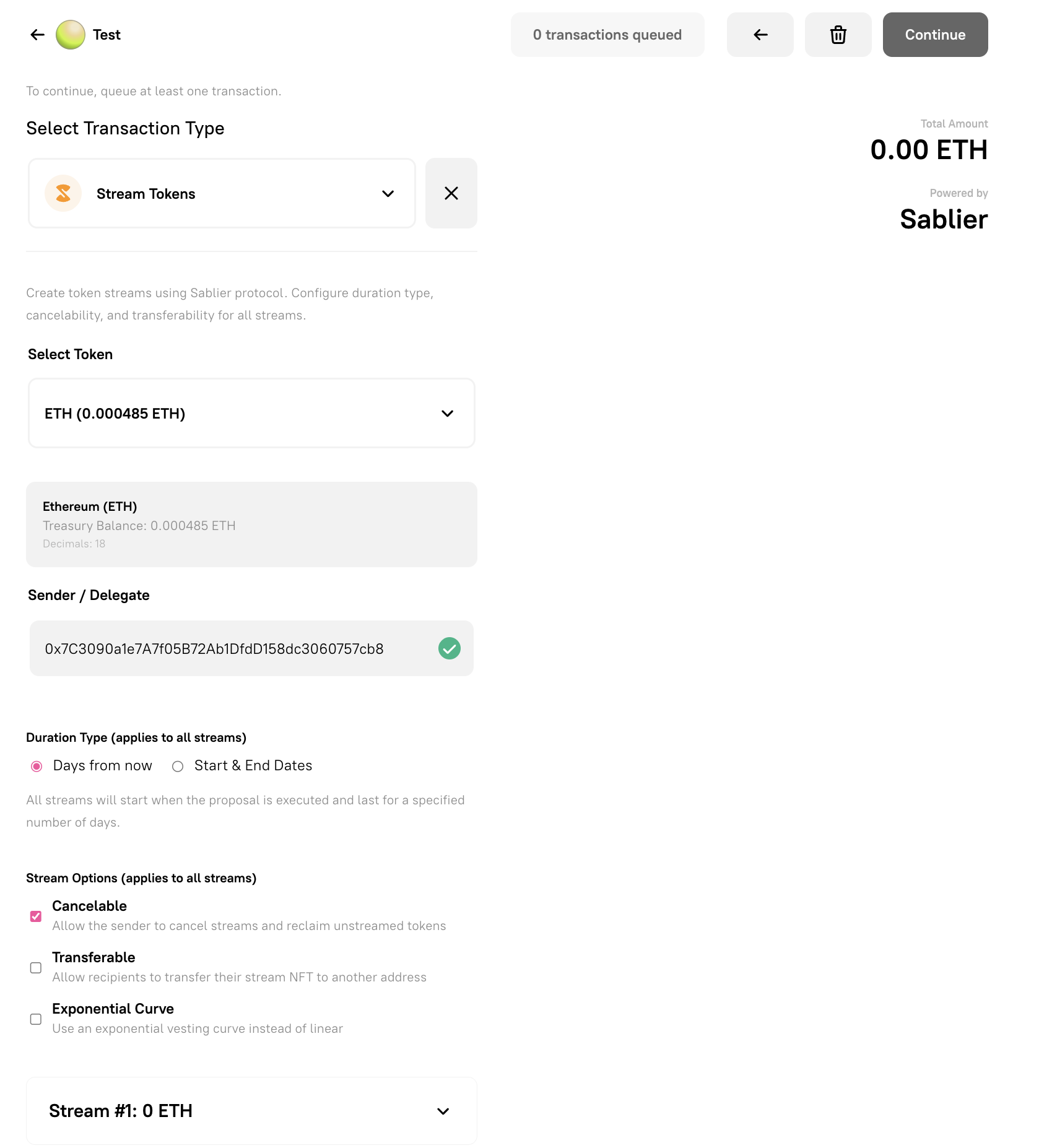
Section titled “Navigate to the Proposal Builder”Go to your DAO’s governance page and click Create Proposal. On the Add Transactions step, open the transaction type selector and choose Stream Tokens.
Select Token
Section titled “Select Token”Use the Select Token dropdown to choose the treasury asset you want to stream. The dropdown shows all tokens held in the DAO treasury, including ETH and any ERC-20 tokens. You can also enter a Custom Token Address if the token is not listed.
The panel below the dropdown confirms the token name, treasury balance, and decimal precision.
Sender / Delegate
Section titled “Sender / Delegate”The Sender / Delegate field sets which address retains the right to cancel the stream (if cancellability is enabled) and receives any unclaimed tokens upon cancellation. By default, this is pre-filled with the treasury address or the nominated delegate, if configured prior to the proposal creation via the “Nominate Delegate” proposal (see documentation for nominating a delegate in the Escrow Section). You can click the swap icon to change it.
Duration Type
Section titled “Duration Type”Select how the stream timing is defined. This setting applies to all streams in the transaction.
- Days from now — Streams start immediately when the proposal executes and run for a specified number of days.
- Start & End Dates — Streams begin and end at specific calendar dates and times.
Stream Options
Section titled “Stream Options”These checkboxes apply to all streams added in this transaction.
- Cancelable — Allows the Sender / Delegate to cancel the stream and reclaim any tokens that have not yet vested. Enabled by default.
- Transferable — Allows the recipient to transfer their stream NFT to another address. If disabled, the stream is bound to the original recipient.
- Exponential Curve — Uses an exponential vesting curve instead of a linear one. Tokens unlock slowly at first and accelerate toward the end of the stream period.
Configuring Individual Streams
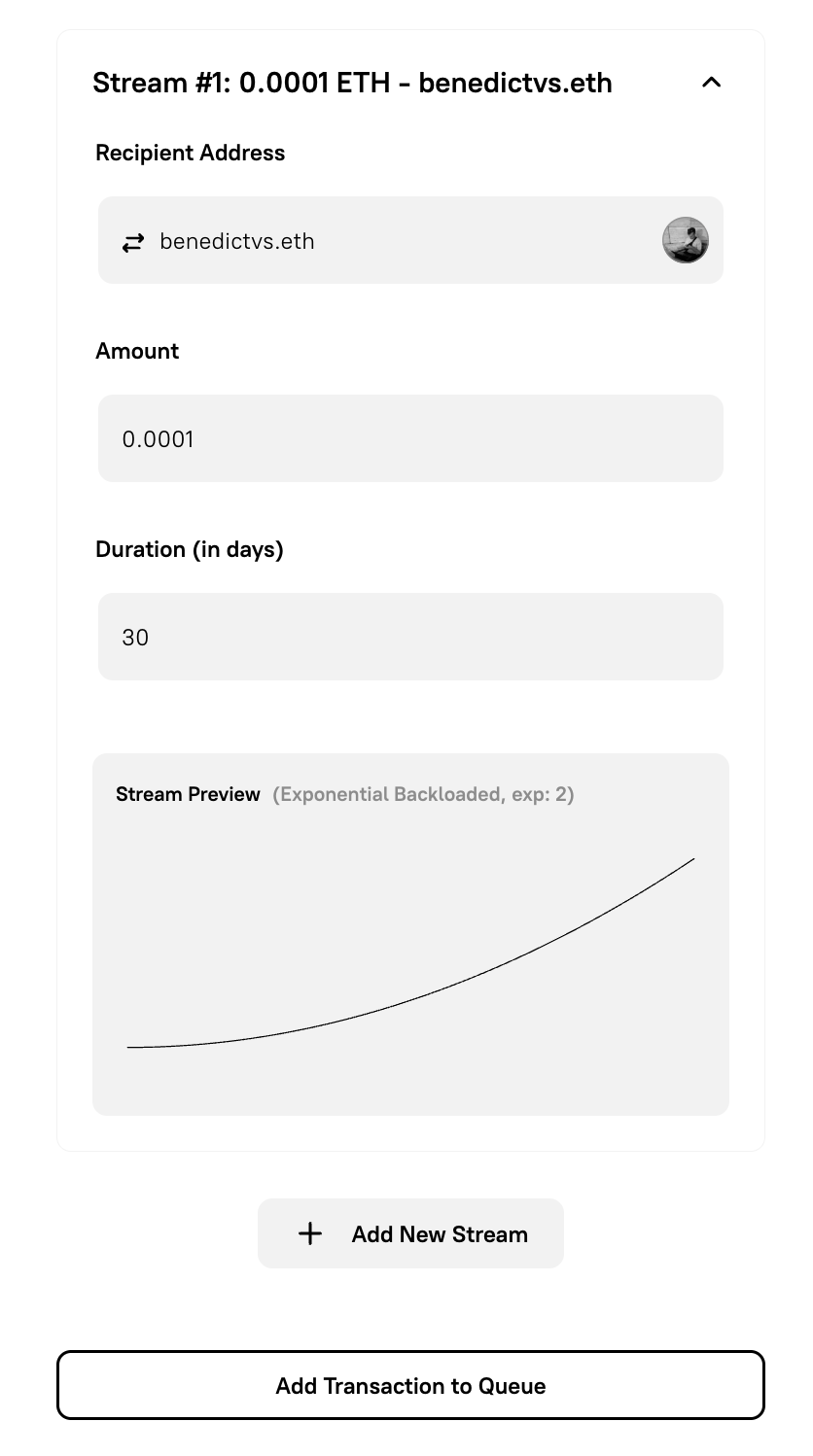
Section titled “Configuring Individual Streams”Each stream is listed as a collapsible panel (e.g., Stream #1: 0 ETH). Expand it to fill in the per-stream details.
Recipient Address
Section titled “Recipient Address”Enter the wallet address that will receive the streamed tokens. The recipient can withdraw vested tokens at any time via app.sablier.com.
Amount
Section titled “Amount”Enter the total number of tokens to deposit into this stream. The full amount is deducted from the treasury when the proposal executes.
Duration (in days)
Section titled “Duration (in days)”Enter how many days the stream should run. Tokens unlock proportionally over this period (or according to the selected curve).
Cliff Period (optional, in days)
Section titled “Cliff Period (optional, in days)”Enter a cliff duration in days. During the cliff, no tokens are withdrawable by the recipient — the full amount remains locked. Once the cliff ends, the proportional share accrued since the stream start becomes available, and the stream continues normally.
Leave this field at 0 to create a stream with no cliff.
Adding Multiple Streams
Section titled “Adding Multiple Streams”Click + Add New Stream to add additional streams in the same proposal. Each stream can have a different recipient and amount, but shares the token, duration type, and stream options set above.
Queuing and Submitting
Section titled “Queuing and Submitting”When all streams are configured, click Add Transaction to Queue. The running total is shown in the top-right corner as Total Amount. You can add additional transaction types to the same proposal before proceeding.
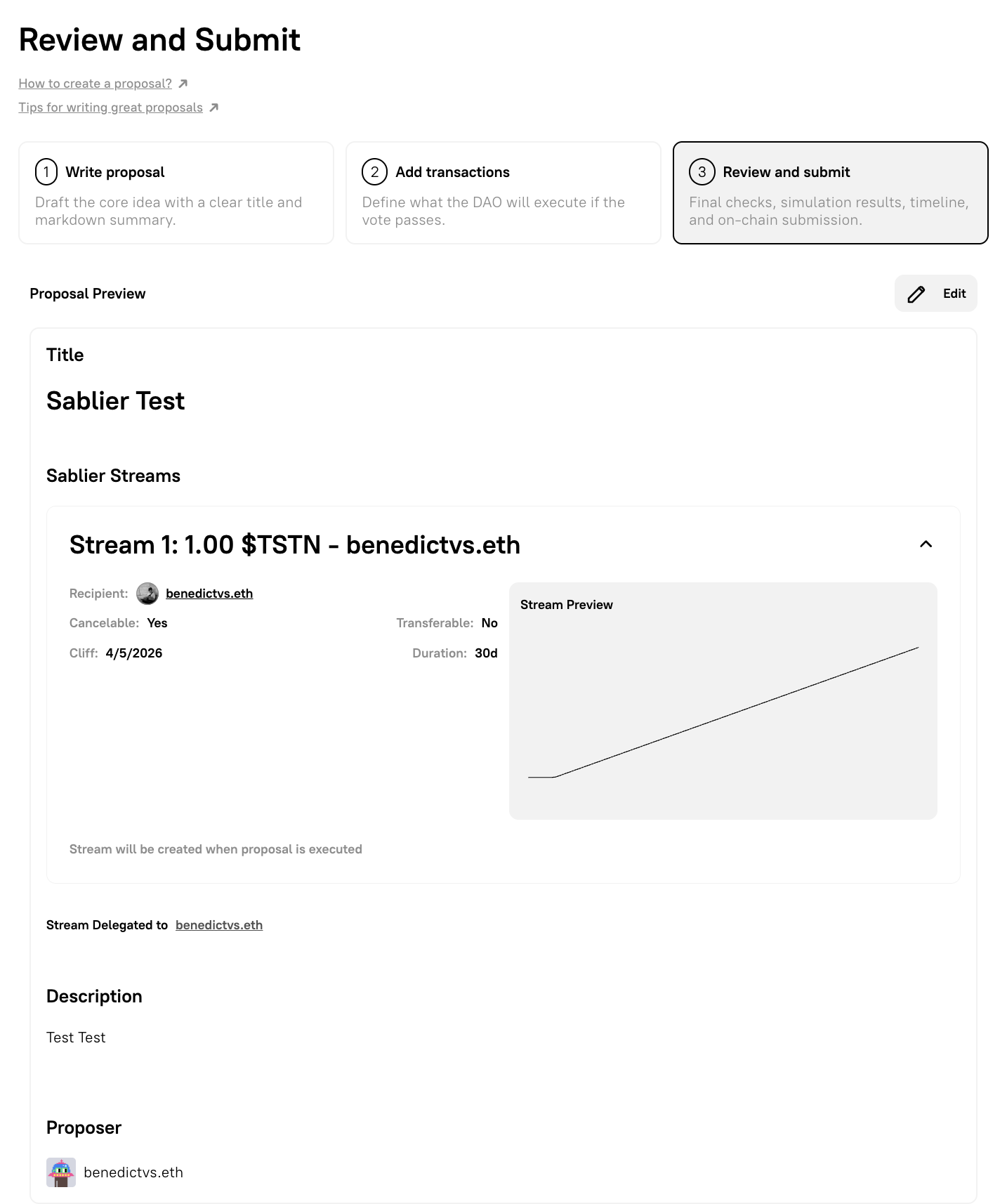
Once all transactions are queued, click Continue to move to the Review and submit step.
What Happens On-Chain
Section titled “What Happens On-Chain”When a Stream Tokens proposal passes and is executed, the DAO treasury:
- Approves the Sablier Batch contract to spend the required token amount
- Calls
createWithDurationsLL(orcreateWithTimestampsLL) on the Sablier Batch Lockup contract - One NFT per stream is minted to each recipient’s address
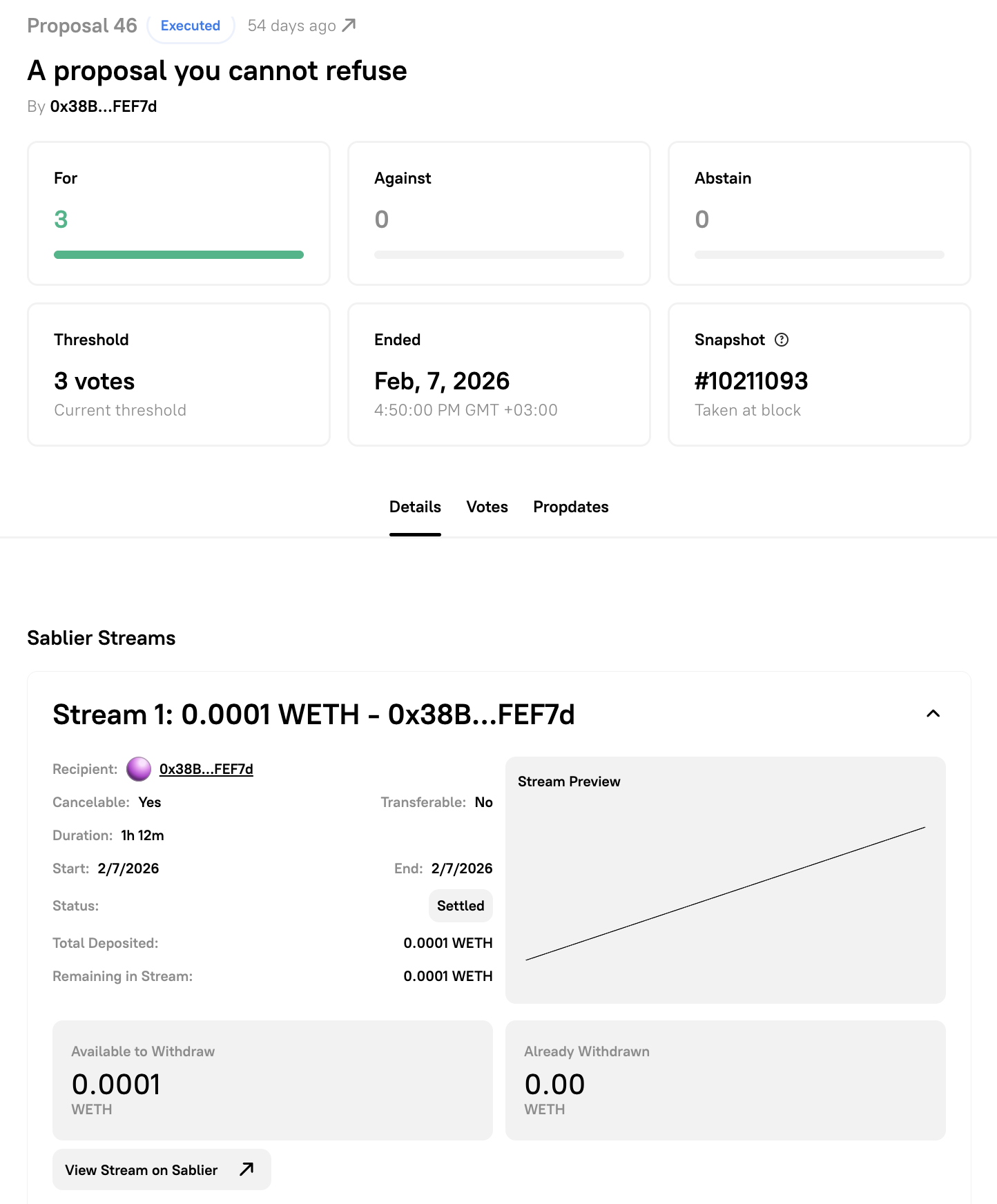
Recipients can view their streams at app.sablier.com and withdraw vested tokens at any time. Streams are also visible in the Details tab of the executed proposal on Nouns Builder.
Airdrop Tokens
Section titled “Airdrop Tokens”The Airdrop Tokens transaction type lets a DAO distribute tokens to a list of recipients using a Sablier Merkle campaign. Recipients claim their tokens independently — no batch transactions are needed. The airdrop can be configured as an instant claim or a linear vesting stream that begins at the moment of claim.
When to Use Airdrop Tokens
Section titled “When to Use Airdrop Tokens”Use Airdrop Tokens when your DAO wants to:
- Distribute tokens to many addresses simultaneously
- Allow recipients to claim at their own convenience
- Combine a token distribution with linear vesting (so recipients unlock tokens gradually after claiming)
Creating an Airdrop Tokens Proposal
Section titled “Creating an Airdrop Tokens Proposal”Navigate to the Proposal Builder
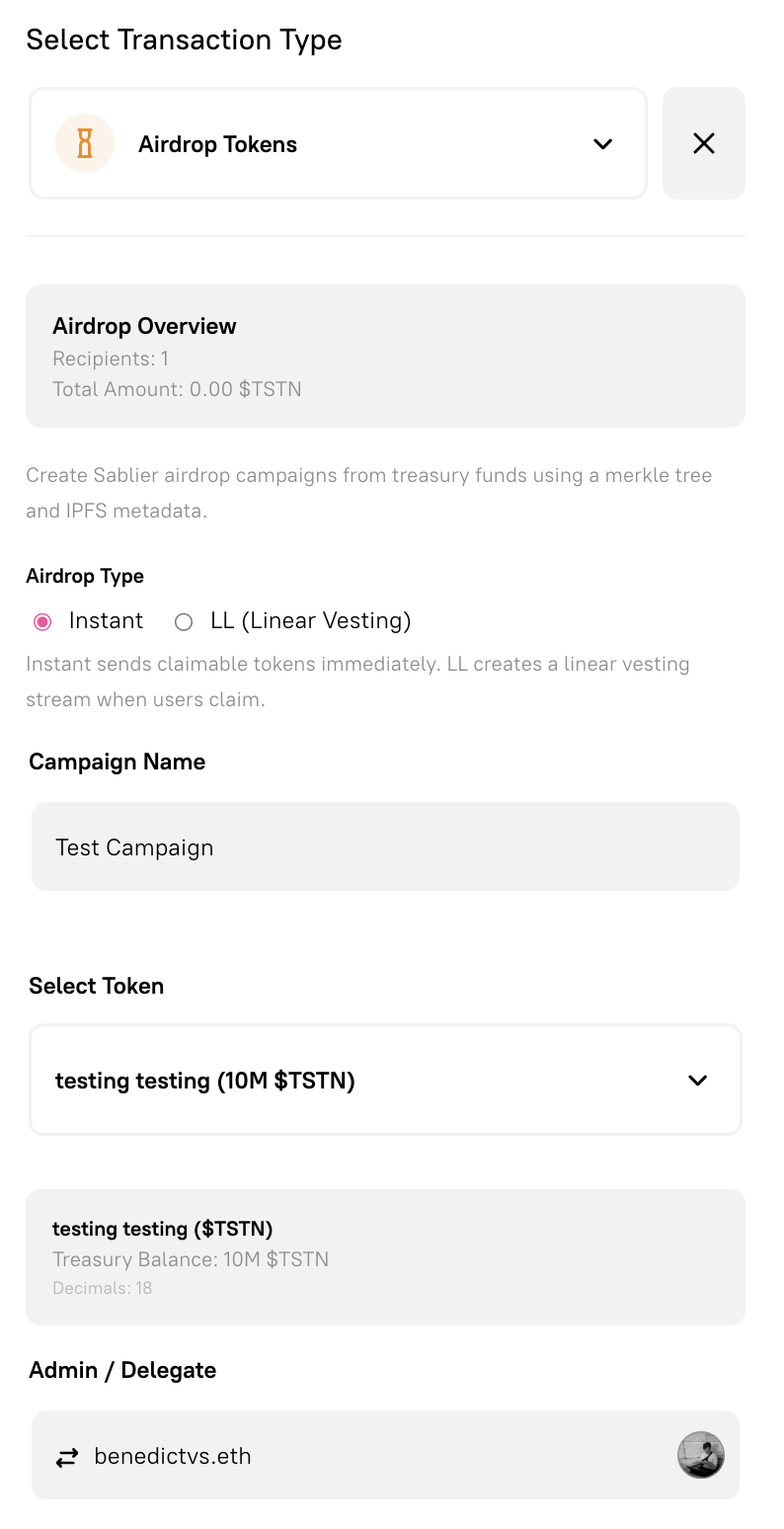
Section titled “Navigate to the Proposal Builder”Go to your DAO’s governance page and click Create Proposal. On the Add Transactions step, open the transaction type selector and choose Airdrop Tokens.
Airdrop Type
Section titled “Airdrop Type”Select the distribution mechanism. This setting applies to the entire campaign.
- Instant — Recipients receive their full token allocation the moment they claim. Tokens are transferred directly to their wallet.
- LL (Linear Vesting) — When a recipient claims, a Sablier Lockup Linear stream is created for them. Tokens vest over the campaign’s configured duration, starting from the moment of claim.
Campaign Name
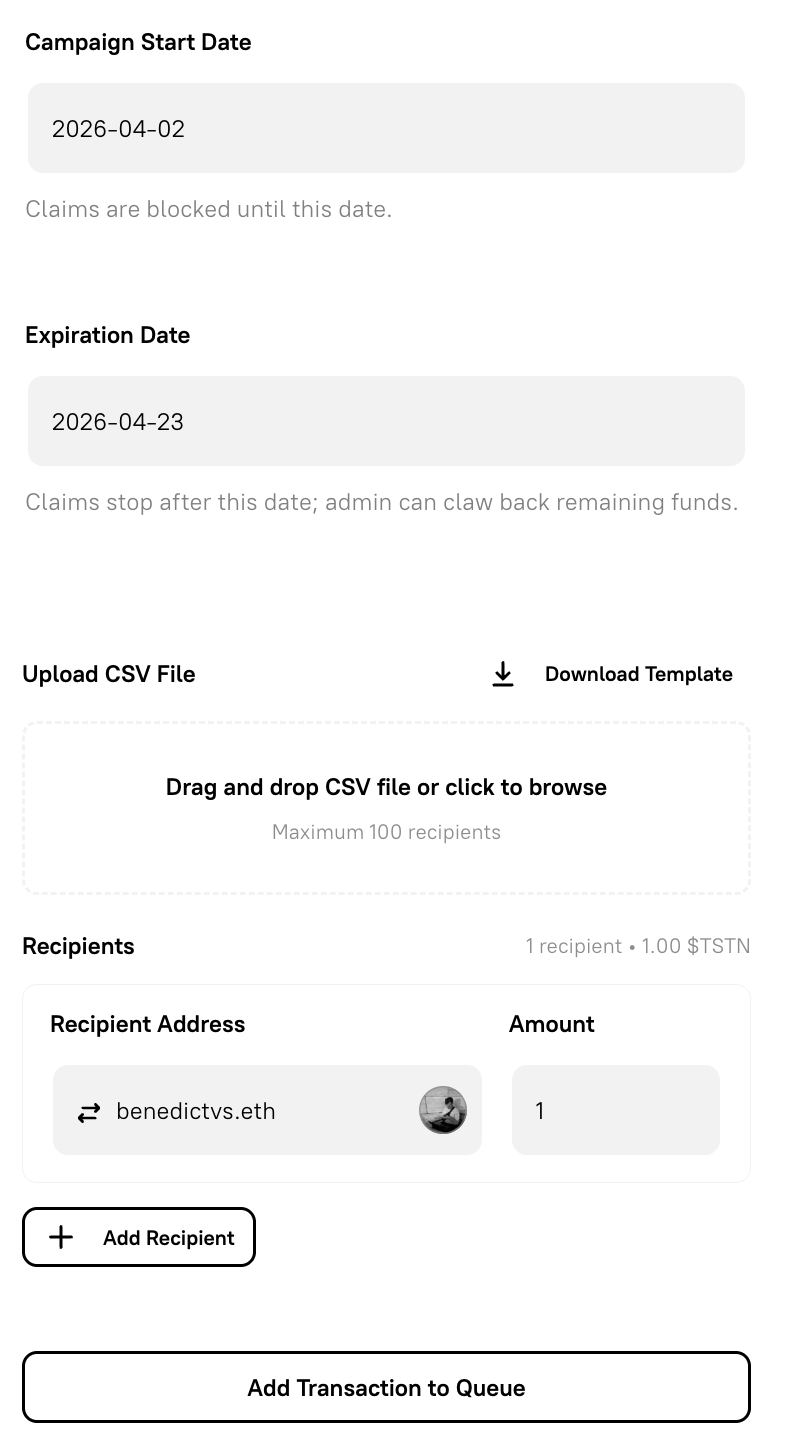
Section titled “Campaign Name”Enter a human-readable name for the airdrop campaign (e.g., Builders Airdrop). This name is displayed in the Sablier interface and in the proposal details view on Nouns Builder.
Select Token
Section titled “Select Token”Choose the treasury asset to distribute. The dropdown lists all tokens held in the DAO treasury, plus a Custom Token Address option for tokens not shown.
Recipients
Section titled “Recipients”Once a token is selected, the recipients section allows you to define the airdrop allocation list. You can:
- Upload a CSV file — Each row should contain a recipient address and a token amount.
- Paste addresses manually — Enter addresses and amounts directly into the interface.
The Airdrop Overview panel at the top of the form updates dynamically to show the total number of recipients and the aggregate token amount.
Vesting Duration (LL type only)
Section titled “Vesting Duration (LL type only)”If you selected LL (Linear Vesting) as the airdrop type, an additional field appears to set the vesting duration in days. Tokens will unlock linearly over this period starting from the moment each recipient claims.
Expiration (optional)
Section titled “Expiration (optional)”You may optionally set an expiration date for the campaign. After this date, unclaimed tokens can be clawed back to the DAO treasury. If no expiration is set, the campaign remains open indefinitely.
Queuing and Submitting
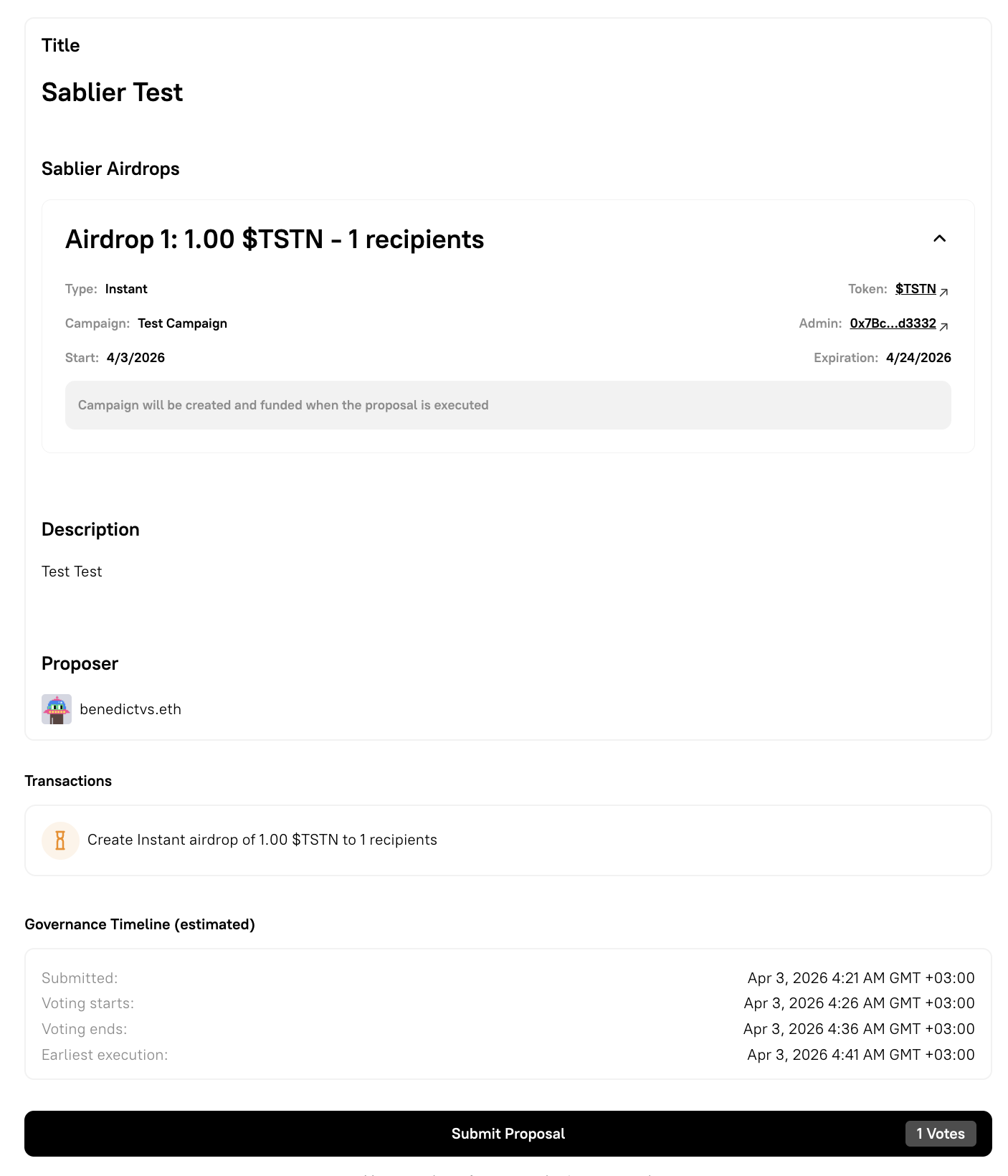
Section titled “Queuing and Submitting”When the campaign is fully configured, click Add Transaction to Queue. Proceed with the rest of the proposal flow and click Continue to reach the Review and submit step.
What Happens On-Chain
Section titled “What Happens On-Chain”When an Airdrop Tokens proposal passes and is executed, the DAO treasury:
- Approves the Sablier Merkle factory contract to spend the required token amount
- Deploys a new Merkle campaign contract with the recipient data stored as a Merkle root on IPFS
- Tokens are locked in the campaign contract until recipients claim
Recipients can view and claim their allocation at app.sablier.com by connecting their wallet. For LL campaigns, a personal Lockup Linear stream NFT is minted to the recipient at the moment of claim.
Viewing Streams and Airdrops After Execution
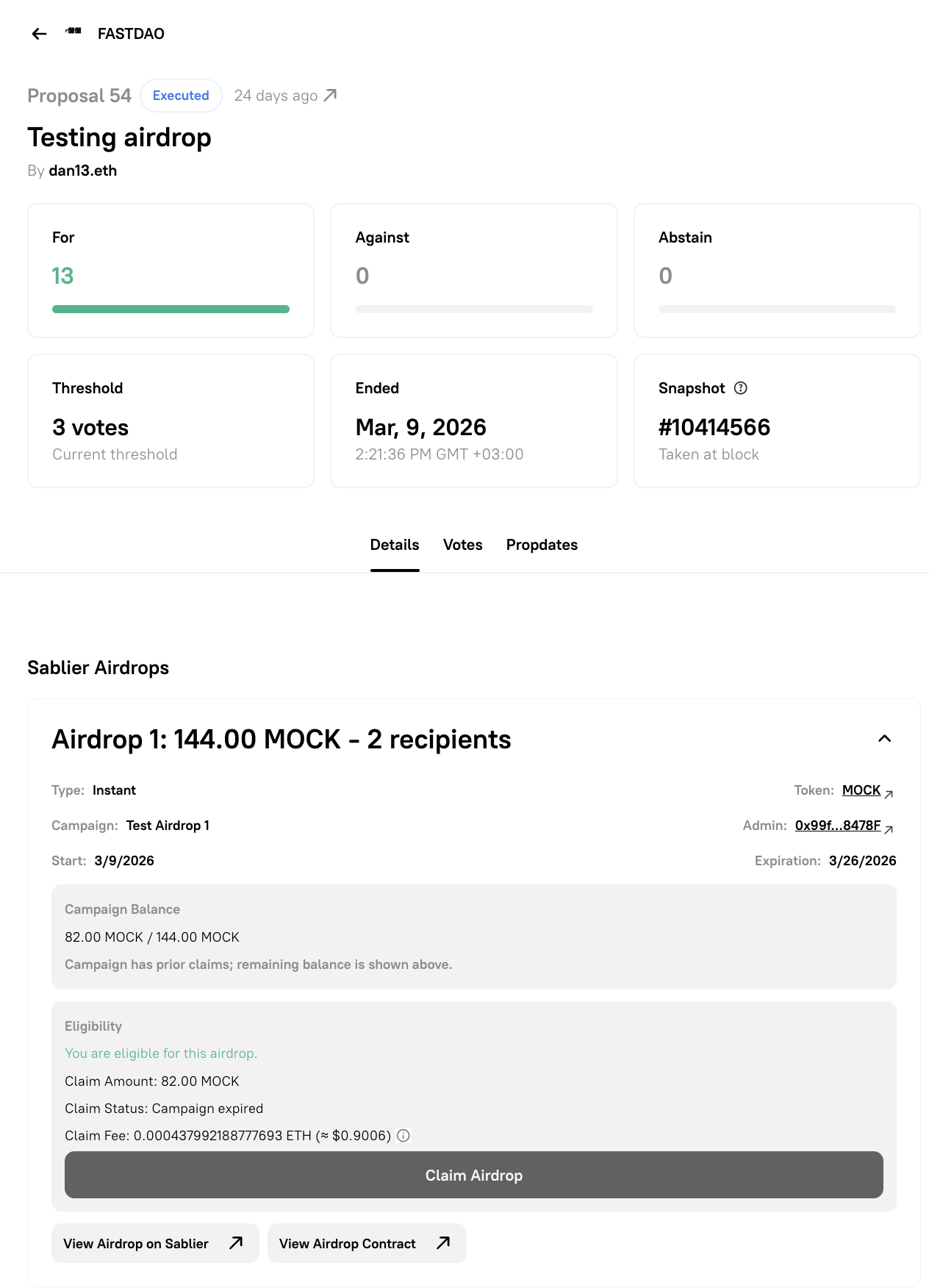
Section titled “Viewing Streams and Airdrops After Execution”Once a Sablier proposal has been executed, the Details tab of the proposal page on Nouns Builder displays:
- A summary panel for each stream or campaign, including recipient, token, amount, duration, and current status
- A link to view the stream or campaign directly on app.sablier.com
- For streams: the delegated sender address and real-time withdrawal data